Meta CAPI Setup Guide 2026 | Server-Side Tracking & Event Deduplication
Your Meta Ads Manager shows 45 conversions. Your Shopify backend shows 68 orders.
This isn't a rounding error. It's the data gap that's been bleeding advertisers dry since iOS 14.5 dropped and turned browser-based tracking into Swiss cheese.
The Meta Pixel—that JavaScript snippet we all relied on for years—now misses 30-40% of conversions on average. Ad blockers strip it. Safari's Intelligent Tracking Prevention kills it. iOS users who decline tracking never trigger it.
The fix isn't to abandon the Pixel. It's to implement Meta CAPI setup properly—pairing browser tracking with the Facebook Conversion API for Meta server-side tracking that bypasses all those restrictions. This is the iOS 14 Meta fix that actually works.
I've implemented this at enterprise scale. At T-Mobile, poor tracking meant millions in misattributed ad spend. At Ingest Labs, we've built server-side infrastructure for dozens of DTC brands drowning in attribution noise. The pattern is always the same: Pixel-only tracking is dead. CAPI implementation is non-negotiable.
Here's how to set it up correctly.
Why Meta CAPI Setup Matters More in 2026
The Facebook Conversion API (now Meta Conversions API) solves a fundamental architecture problem: your tracking can't depend on the user's browser anymore.
The Pixel's Fatal Dependencies
The Meta Pixel runs client-side. That means:
-
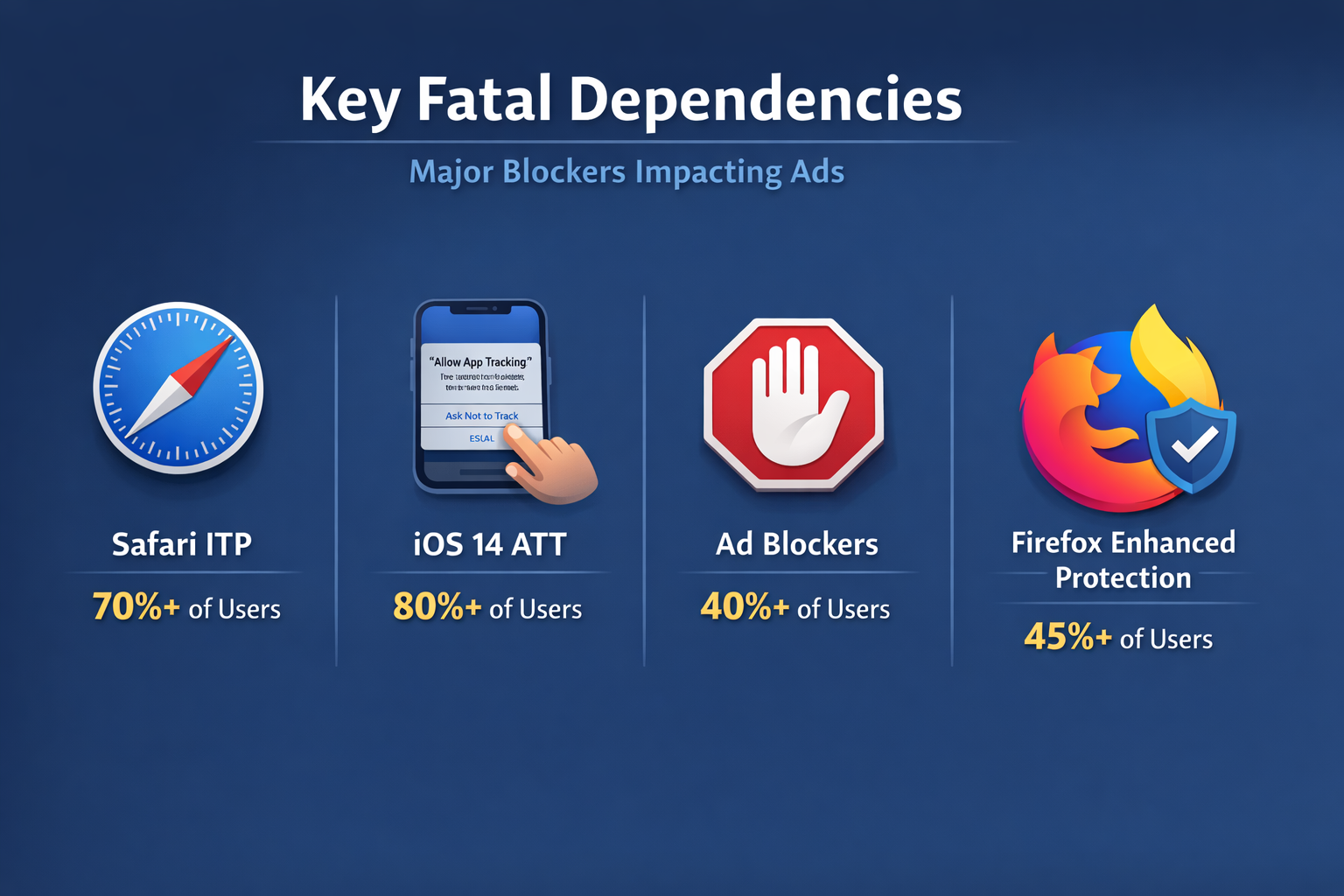
Safari blocks it by default. Apple's ITP deletes third-party cookies in 24 hours—sometimes 7 days if you're lucky.
-
iOS 14+ users opt out. App Tracking Transparency gave users a choice. 70%+ said no.
-
Ad blockers kill it entirely. uBlock Origin, Brave, Privacy Badger—all strip Pixel events before they fire.
-
Browser restrictions cascade. Firefox Enhanced Tracking Protection. Edge's tracking prevention. Chrome's cookie deprecation (finally arriving in late 2026).
Result? Incomplete conversion data. Broken attribution windows. Ad optimization that trains on a biased sample of users who don't protect their privacy.
What Facebook Conversion API Actually Fixes
Meta server-side tracking moves conversion events to your server infrastructure. When a customer completes a purchase:
-
Your server captures the event (order ID, revenue, customer email)
-
Your backend sends it directly to Meta's API endpoint via CAPI
-
Meta receives the conversion data—no browser required
This bypasses every privacy restriction that kills the Pixel. No cookies to block. No JavaScript to strip. No user consent prompts that break tracking.
More importantly: server-side tracking captures events the browser never sees. Subscription renewals processed by your billing system. Offline purchases synced from your POS. B2B deals that close over weeks of email follow-up.
The Pixel can't track any of that. The Facebook Conversion API can.
Meta CAPI Setup Prerequisites
Before you write a single line of code, you need three things from Facebook Business Manager.
1. Meta Pixel ID
You probably already have this if you're running ads. Find it in Events Manager—it's a 15-digit number that identifies your tracking property.
Important: Use the same Pixel ID for both browser and server events. Meta's deduplication logic relies on matching events to the same Pixel.
If you're setting up tracking for the first time, create a new Pixel in Events Manager under Data Sources.
2. Business Manager Access
CAPI requires Business Manager—the enterprise admin layer for Meta properties. You need admin or developer permissions to generate API credentials.
Don't have a Business Manager? Create one at business.facebook.com. You'll need to verify your domain and add your ad account.
3. API Access Token
This is your authentication credential for server-to-server requests. Without it, Meta rejects your events.
Generate it the right way:
-
Open Events Manager and select your Pixel
-
Go to Settings > Conversions API section
-
Click "Generate access token" under manual setup
-
Copy the token and store it securely (use environment variables—never hardcode it)
Meta automatically creates a Conversions API app and system user when you generate this token. No App Review required. No special permissions needed.
Security note: This token grants write access to your conversion data. Treat it like a database password. Rotate it every 90 days. Never commit it to version control.
Facebook Conversion API Implementation Methods
You have three paths for Meta CAPI setup. Choose based on your technical resources and infrastructure.
Method 1: Third-Party Integration Partners
Best for: Non-technical teams, fast deployment, managed infrastructure
If you're on Shopify, WooCommerce, or another major platform, partner integrations are the fastest path to working CAPI.
We built Ingest IQ specifically for this use case—it connects directly to your platform, captures all conversion events, enriches them with first-party data, and pushes them to Meta via properly configured CAPI endpoints.
Other options: Segment, Stape, Elevar, Triple Whale. All handle the server infrastructure, event mapping, and deduplication logic for you.
Tradeoff: You're abstracting away control. Good partners are worth it. Bad ones become a black box when tracking breaks.
Learn more about Shopify Facebook Ads tracking with proper CAPI implementation.
Method 2: Google Tag Manager Server-Side (GTM SS)
Best for: Technical marketers, teams already using GTM, flexible event customization
Google Tag Manager Server-Side is the middle ground—more control than third-party tools, less overhead than direct integration.
Setup overview:
-
Deploy a GTM Server container (hosted on Google Cloud, AWS, or your own server)
-
Configure your client-side GTM to send events to the server container
-
Add a Facebook Conversions API tag in the server container
-
Map your data layer variables to CAPI parameters
-
Configure deduplication using event_id
This method works well if you're already running server-side GTM for GA4. You can reuse the same infrastructure for multiple marketing APIs.
Tradeoff: Server container hosting costs $50-200/month depending on traffic. Setup requires intermediate GTM knowledge.
For a detailed walkthrough, see our Facebook Conversions API implementation guide.
Method 3: Direct Server Integration
Best for: Engineering teams, custom platforms, maximum control
If you have backend engineers and want full ownership of your tracking architecture, direct integration is the most powerful option.
You'll write server-side code that calls Meta's API endpoint directly. Here's the basic flow:
Node.js example (simplified):
const bizSdk = require('facebook-nodejs-business-sdk');
const ServerEvent = bizSdk.ServerEvent;
const EventRequest = bizSdk.EventRequest;
const UserData = bizSdk.UserData;
const CustomData = bizSdk.CustomData;

const access_token = process.env.META_ACCESS_TOKEN;
const pixel_id = process.env.META_PIXEL_ID;

// When a purchase happens on your server
async function trackPurchase(orderData) {
  const userData = (new UserData())
    .setEmail(hashEmail(orderData.email))
    .setPhone(hashPhone(orderData.phone))
    .setClientIpAddress(orderData.ip)
    .setClientUserAgent(orderData.userAgent)
    .setFbc(orderData.fbc)  // from _fbc cookie
    .setFbp(orderData.fbp); // from _fbp cookie

  const customData = (new CustomData())
    .setCurrency('USD')
    .setValue(orderData.total)
    .setOrderId(orderData.orderId);

  const serverEvent = (new ServerEvent())
    .setEventName('Purchase')
    .setEventTime(Math.floor(Date.now() / 1000))
    .setUserData(userData)
    .setCustomData(customData)
    .setEventSourceUrl(orderData.sourceUrl)
    .setActionSource('website')
    .setEventId(orderData.eventId); // critical for deduplication

  const eventsData = [serverEvent];
  const eventRequest = (new EventRequest(access_token, pixel_id))
    .setEvents(eventsData);

  try {
    const response = await eventRequest.execute();
    console.log('CAPI event sent:', response);
  } catch (error) {
    console.error('CAPI error:', error);
  }
}
Key parameters explained:
-
event_id: Must match between Pixel and CAPI for deduplication (more on this below)
-
event_time: Unix timestamp when the event occurred (not when you're sending it)
-
action_source: Set to "website" for web conversions, "app" for mobile, "offline" for in-store
-
User data: Email and phone must be SHA-256 hashed before sending
-
fbp and fbc: Browser cookies that help Meta match server events to Pixel users
Tradeoff: Full control means full responsibility. You're building the infrastructure, handling errors, and maintaining it as Meta's API evolves.
For step-by-step installation instructions, check out our Facebook Conversion API installation guide.
Event Deduplication: The Make-or-Break Detail
Here's where most implementations fail.
When you run both Pixel and CAPI, you're sending the same conversion event twice—once from the browser, once from your server. Without deduplication, Meta counts both. Your reported conversions double. Your ROAS calculation breaks. Ad optimization trains on garbage data.
How Deduplication Works
Meta uses event_id as the deduplication key. When events arrive within 48 hours with:
-
Same Pixel ID
-
Same event name (e.g., "Purchase")
-
Same event_id string
...Meta recognizes them as duplicate and counts only one.
Implementation Pattern
Client-side (Meta Pixel):
// Generate a unique ID for this conversion
const eventId = 'order_' + orderId + '_' + timestamp;

// Send to Meta Pixel with event_id
fbq('track', 'Purchase', {
  value: orderTotal,
  currency: 'USD',
  order_id: orderId
}, {
  eventID: eventId  // Pass the deduplication ID
});

// Also send eventId to your server
fetch('/api/track-purchase', {
  method: 'POST',
  body: JSON.stringify({
    orderId: orderId,
    eventId: eventId,  // Same ID goes to server
    // ... other data
  })
});
Server-side (CAPI):
Use the exact same event_id that the browser sent. This is your deduplication contract with Meta.
Testing Deduplication
Events Manager shows which channel contributed each event. After implementation:
-
Complete a test purchase
-
Wait 5-10 minutes for processing
-
Check Events Manager > Test Events
-
Look for the event in both "Pixel" and "Conversions API" columns
-
Verify the total count equals 1, not 2
If you see doubled events, your event_id logic isn't matching correctly. Common causes:
-
Pixel sends "purchase_12345_1678901234"
-
Server sends "purchase_12345_1678901234.567" (different timestamp precision)
-
Meta sees these as different events and counts both
Book a Demo →
Event Match Quality: The Metric That Actually Matters
Raw event volume doesn't mean anything if Meta can't match your server events to real users.
Event Match Quality (EMQ) scores how well Meta can attribute your CAPI events to Facebook profiles. The algorithm grades on a scale of 0-10 based on the customer information parameters you include.
What Drives High EMQ Scores
Meta's matching algorithm looks for:
-
Email address (SHA-256 hashed): Worth 3-4 EMQ points
-
Phone number (SHA-256 hashed): Worth 2-3 points
-
First and last name (hashed): Worth 1-2 points
-
City, state, ZIP, country: Worth 1 point combined
-
fbp cookie (Meta's first-party browser cookie): Worth 2 points
-
fbc cookie (tracks which ad was clicked): Worth 1-2 points
-
Client IP address: Worth 0.5 points
-
User agent string: Worth 0.5 points
Goal: EMQ scores above 8.0 significantly improve ad delivery performance.
Practical EMQ Optimization
At checkout, you have the customer's email, phone, and billing address. Pass all of it to your CAPI implementation.
Bad: Sending only the order value and timestamp (EMQ ~2.0)
Good: Including email + phone + location data (EMQ ~6.5)
Best: Email + phone + location + fbp/fbc cookies from the customer's browser session (EMQ 8.5+)
The fbp and fbc cookies are critical. They're the bridge between your server-side event and the specific user who clicked your ad.
How to capture them:
On the client side, read the cookies before sending data to your server:
function getCookie(name) {
  const value = `; ${document.cookie}`;
  const parts = value.split(`; ${name}=`);
  if (parts.length === 2) return parts.pop().split(';').shift();
}

const fbp = getCookie('_fbp');
const fbc = getCookie('_fbc');

// Send these to your server along with other order data
Then include them in your CAPI payload as shown in the code example above.
Monitoring EMQ Over Time
Events Manager displays EMQ scores in the Conversions API section. Check it weekly as you iterate on your implementation.
If your score is below 6.0, you're leaving attribution on the table. Meta's algorithm can't reliably match your events to users, so it underweights your conversion data during ad optimization.
Book a Demo →
iOS 14 Meta Fix: How Server-Side Tracking Solves Apple's Privacy Restrictions
Apple's iOS privacy changes weren't a one-time disruption. They're the new baseline that requires a fundamental shift to Meta server-side tracking.
App Tracking Transparency (ATT) asks users to opt in to tracking. 70%+ decline. When they do, the Pixel can't fire. Safari's Intelligent Tracking Prevention (ITP) deletes third-party cookies in 24 hours—sometimes 7 days for first-party cookies on engaged sites.
Result: iOS traffic is effectively invisible to Pixel-only tracking.
The Facebook Conversion API is the iOS 14 Meta fix. Because server-side events don't depend on browser cookies or tracking consent, they capture iOS conversions the Pixel misses.
Domain Verification Requirement
Meta enforces domain verification for iOS 14+ attribution. Without it, you're limited to 8 conversion events per domain with aggregated attribution.
Verify your domain:
-
Go to Business Manager > Brand Safety > Domains
-
Add your domain and verify ownership (DNS TXT record or meta tag)
-
Configure event priority for the 8 events that matter most (usually Purchase, Lead, CompleteRegistration)
This affects Pixel tracking more than CAPI, but you need it configured regardless.
Advanced Matching for iOS Users
Meta's Advanced Matching feature passes hashed customer data alongside Pixel events—essentially giving the Pixel some CAPI-like capabilities for users where cookies don't work.
Enable it in Events Manager > Settings > Automatic Advanced Matching. This pulls email, phone, and name fields from form inputs on your site and sends hashed versions to Meta.
But here's the reality: Advanced Matching is a band-aid. The Facebook Conversion API is the real iOS 14 fix. Advanced Matching only works if the Pixel fires at all—which it often doesn't on iOS.
Meta server-side tracking captures the conversion regardless of browser restrictions, then passes the same customer data for matching. That's why properly implemented CAPI has 95%+ event capture rates compared to 60-70% for Pixel alone.
Verifying Your Meta CAPI Setup
Implementation is only half the job. Verification catches the mistakes that silently bleed attribution for months.
Test Events Tool
Events Manager includes a real-time debugging interface under Test Events.
How to use it:
-
Open Events Manager > Test Events
-
Select your Pixel
-
Enter your test user's browser IP address or cookie value
-
Complete a test conversion on your site
-
Watch events appear in real-time with full parameter details
This shows exactly what data Meta receives—both from Pixel and CAPI.
Check for:
-
Both events appearing with the same event_id
-
EMQ score (displayed per event)
-
All custom parameters passing correctly
-
Proper timestamp formatting (Unix time in seconds, not milliseconds)
Events Manager Diagnostics
The Overview tab in Events Manager shows last 24 hours of event volume broken down by source:
-
Browser: Events from Meta Pixel
-
Server: Events from Conversions API
-
Other: App events, offline conversions, etc.
After implementation, you should see:
-
Server events roughly matching browser events in volume
-
Total events (deduplicated) close to your actual conversion count
-
EMQ distribution with most events scoring 7.0+
If server volume is way below browser volume, your CAPI implementation isn't firing for all conversions. If total events are higher than browser + server, deduplication isn't working.
Test Deduplication Specifically
This is the most commonly broken part of implementations.
Manual test:
-
Open browser dev tools > Network tab
-
Complete a test purchase
-
Find the Pixel request (to facebook.com/tr/)
-
Look for the "eid" parameter in the request—that's your event_id
-
Check your server logs for the CAPI request
-
Verify the event_id in your server request matches exactly
Common mismatch causes:
-
Pixel sends "purchase_12345_1678901234"
-
Server sends "purchase_12345_1678901234.567" (different timestamp precision)
-
Meta sees these as different events and counts both
Production Monitoring
After launch, track these metrics in Events Manager:
-
Event Match Quality: Should stay above 7.5 average
-
CAPI event volume: Should be 90-100% of actual conversions
-
Deduplication rate: Pixel + CAPI events should equal ~100-110% of total events (some users have JS blocked entirely, so 100% CAPI-only events are expected)
Set up weekly checks. Attribution drift happens gradually as your codebase changes.
Advanced CAPI Implementation Patterns
Once basic setup is working, these patterns improve attribution accuracy and unlock advanced use cases.
Offline Event Tracking
CAPI handles more than web conversions. If you have offline sales channels—retail stores, phone orders, trade show leads—send those to Meta too.
Why? Because customers often research online before buying offline. Meta's attribution model needs to know about offline conversions to properly credit the ad that started the journey.
Implementation:
Set action_source to "physical_store" or "phone_call" instead of "website". Include the same customer matching parameters (email, phone, etc.) and as much timing data as possible.
If a customer calls to place an order 3 days after clicking an ad, send the conversion with the actual purchase timestamp—not when you're syncing the data.
CRM and Subscription Events
For subscription businesses, the first purchase isn't the only conversion that matters. Renewal events, upgrades, and long-term LTV are better optimization signals.
CAPI lets you send backend events as they happen in your billing system:
-
Subscription renewed: Send a custom "Subscribe" event with renewal revenue
-
Customer churned: Send a "ChurnRisk" event for suppression audiences
-
Upgrade to annual plan: Send high-value conversion for lookalike modeling
These signals train Meta's algorithm to optimize for customer quality, not just initial conversion volume.
Multi-Touch Attribution
Standard CAPI sends conversion events. Advanced implementations send the full customer journey.
Track "PageView", "ViewContent", "AddToCart", and "InitiateCheckout" server-side too—not just purchase events. This gives Meta a complete funnel view even when the Pixel doesn't fire.
Tradeoff: Higher event volume means more API calls and more data to manage. Only worth it if you have complex funnels where users drop off frequently between steps.
Common Meta CAPI Setup Mistakes
I've debugged dozens of broken implementations. These errors show up repeatedly:
1. Missing event_id for Deduplication
Symptom: Doubled conversion counts, ROAS appears 2x higher than reality
Fix: Generate a unique ID on the client side, pass it to both Pixel and server
2. Forgetting to Hash PII
Symptom: Events fail validation, or you're sending plain text email/phone to Meta (privacy violation)
Fix: SHA-256 hash email and phone before sending. Meta provides hashing libraries in their SDK
3. Wrong Timestamp Format
Symptom: Events appear in the wrong time window, attribution windows break
Fix: Use Unix timestamp in seconds (not milliseconds). JavaScript's Date.now() returns milliseconds—divide by 1000
4. Not Capturing fbp/fbc Cookies
Symptom: Low EMQ scores (below 5.0), poor event matching
Fix: Read _fbp and _fbc cookies from the user's browser and pass them to your server
5. Sending Events Without User Data
Symptom: EMQ scores below 3.0, Meta can't match events to users
Fix: Include at minimum email + IP address + user agent. Aim for 8+ matching parameters
6. Testing Only in Events Manager
Symptom: Test events look perfect, but production events have issues
Fix: Monitor production data in Events Manager after launch. Test with real customer flows, not just manual debugging
7. Ignoring Event Match Quality
Symptom: Events are firing, but ad performance doesn't improve
Fix: Check EMQ scores and optimize for 8.0+. Low EMQ means Meta can't use your data effectively
Measuring CAPI Impact on Ad Performance
After implementation, you should see measurable improvements:
Attribution completeness: Your reported conversion volume should increase 15-30% as CAPI captures events the Pixel missed. This isn't "new" conversions—it's conversions that were always happening but going untracked.
ROAS stabilization: Your reported ROAS might actually drop initially because you're now seeing the full picture. But algorithmic optimization improves over 2-3 weeks as Meta's models train on complete data.
iOS conversion tracking: Break out iOS vs Android performance. iOS attribution should improve dramatically (often 2-3x more conversions attributed correctly).
Cost per result: As Meta's algorithm gets better data, cost per acquisition typically decreases 10-20% over 30 days as targeting improves.
Audience quality: Lookalike audiences built on CAPI conversion data perform better because they're trained on real conversions, not just the subset who didn't block tracking.
Give it 21 days minimum. Meta's learning phase for campaign optimization takes 50 conversions per ad set—with better data, you'll hit learning phase faster and more reliably.
The Bottom Line on Meta CAPI Setup
Browser-based tracking is architecturally broken. iOS privacy updates, ad blockers, and cookie deprecation have made the Meta Pixel unreliable as a standalone solution.
Meta CAPI setup with the Facebook Conversion API isn't optional anymore—it's table stakes for accurate attribution in 2026.
Implementation takes effort. You need API credentials, server infrastructure, careful event mapping, and deduplication logic. But the alternative is flying blind with incomplete conversion data and burning budget on misattributed campaigns.
Start with the integration method that matches your technical capabilities. Third-party partners work well for fast deployment. Google Tag Manager Server-Side gives you more control. Direct integration is for teams who want full ownership.
Focus on three things: proper deduplication, high Event Match Quality (8.0+), and complete customer data in every server event.
Your Meta ads are only as good as the data that feeds them. Fix your tracking architecture first. Optimization comes second.
Ready to implement Meta CAPI correctly? Ingest IQ handles the entire server-side infrastructure for you—no code required, 95%+ event accuracy, complete with deduplication and EMQ optimization. Built from the same architecture that tracked billions in ad spend at T-Mobile.
Or if you're building it yourself, start with our Facebook Conversions API installation guide for step-by-step implementation instructions.
Either way, stop losing conversions to broken browser tracking. Meta server-side tracking is the only path forward.