How iOS 18 Is Breaking Your Attribution — And How to Fix It
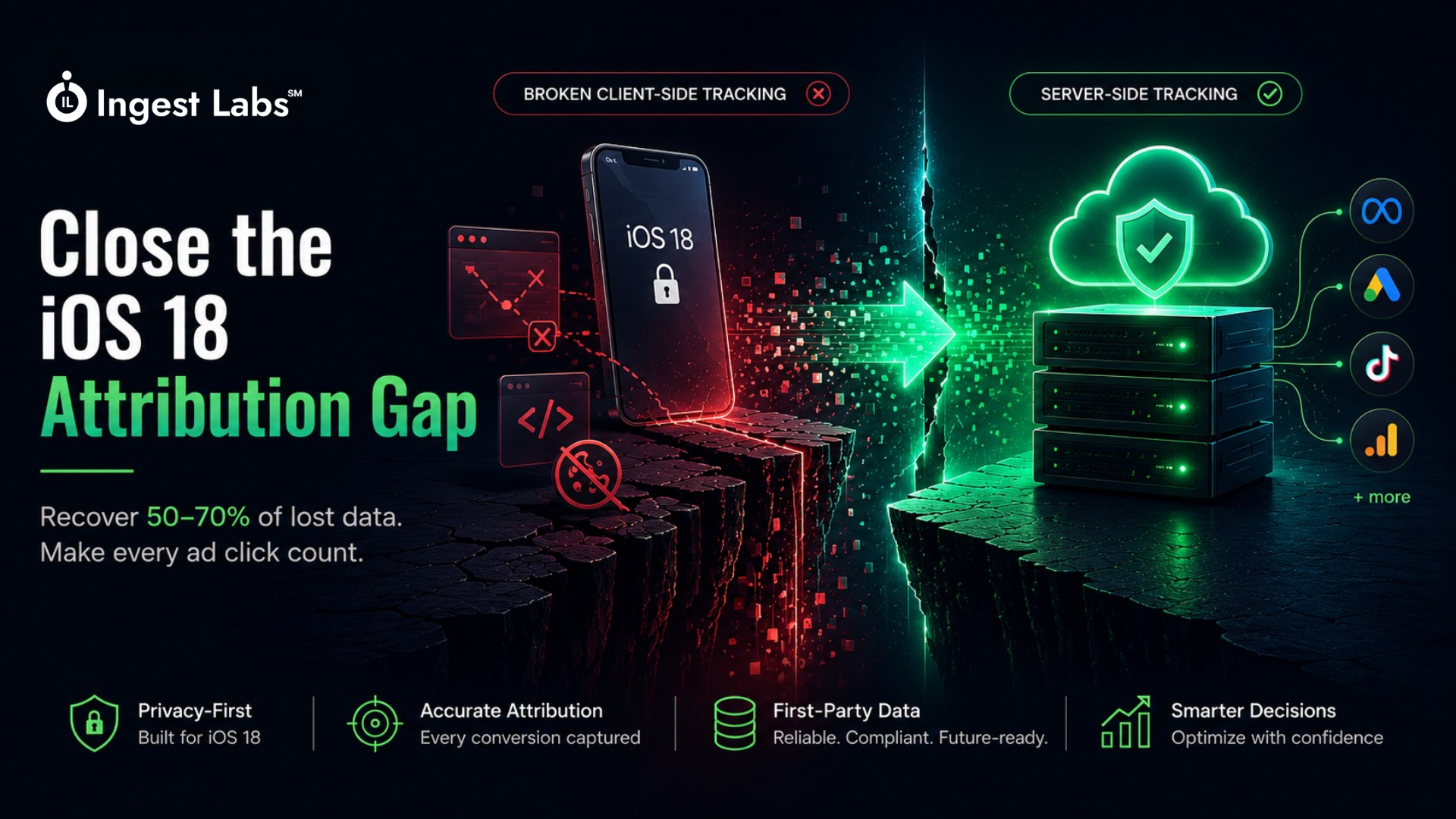
Here's a number that should stop you cold: 50–70% of your iOS 18 attribution data may be missing entirely — not because your campaigns aren't working, but because Apple's privacy infrastructure has made it technically impossible to track what's happening using traditional browser-based pixels.
I've been working with DTC brands and agencies for over a decade, and I've watched attribution accuracy erode year after year. But iOS 18 represents something different. This isn't just another incremental privacy update. It's the final nail in the coffin for pixel-only tracking strategies.
If you're still running Meta ads with pixel-only tracking in 2026, you're making budget decisions based on incomplete data. And that incomplete data is costing you real money. The iOS 18 attribution gap between what your dashboard shows and what actually happened in your business has never been wider.
Industry benchmarks show attribution gaps averaged 30–40% after iOS 14.5 in 2021, expanded to 40–60% by 2023, and now reach 50–70% for many advertisers dealing with iOS 18 attribution issues in 2026. Safari ITP (Intelligent Tracking Prevention) cookie restrictions and App Tracking Transparency opt-outs have fundamentally broken DTC attribution for mobile advertisers.
Each iOS update adds another layer of restriction. Waiting is not a strategy.
The iOS 18 Attribution Crisis: What You're Actually Facing
Let me be blunt: if you're a DTC brand or agency running paid ads to iOS users, your current measurement infrastructure is fundamentally broken. Here's what the iOS tracking numbers look like right now:
-
50–70% iOS 18 attribution gap for advertisers in 2026
-
35% global App Tracking Transparency (ATT) opt-in rate as of Q2 2025
-
<24 hours Safari ITP cookie lifespan from cross-site links
-
55%+ mobile browser share held by iOS Safari in US/UK markets
-
85% of iOS users opt out of tracking via ATT
These aren't projections. These are the current conditions in which you're trying to run profitable ad campaigns and measure DTC attribution accurately.
The brutal reality is this: Meta's algorithm is optimizing your campaigns based on incomplete data. That means you're wasting budget on audiences and creatives that look like they're not working but actually are. Or worse, you're over-investing in channels that appear profitable but aren't.
This is the iOS tracking crisis that no one wants to talk about.
Why iOS 18 Attribution Is Different from Every Update Before It
To understand why iOS 18 attribution is particularly damaging, you need to understand how Apple's privacy restrictions have compounded over five years. Each update built on the last. By iOS 18, there are no loopholes left.
Here's the timeline that brought us here:
iOS 14 (September 2020): ATT Launched
Apps must request permission before accessing IDFA (Identifier for Advertisers). Opt-in rates immediately fell to 20–30%.
iOS attribution impact: Deterministic app-to-web attribution ended for opted-out users. IDFA became unreliable overnight.
iOS 15 (September 2021): Mail Privacy Protection
MPP prevents email open tracking. IP masking via iCloud Private Relay hides user location.
iOS tracking impact: Email attribution degraded. Geo-targeting for iOS mail audiences became unreliable.
iOS 17 (September 2023): Link Tracking Protection
Safari ITP strips tracking parameters from URLs. First-party cookies from cross-site links limited to 24 hours.
Safari ITP impact: UTM parameters often stripped. Click-to-conversion windows compressed to <24 hours for many traffic sources.
iOS 18 (September 2025): The Final iOS Attribution Restrictions
Advanced Tracking and Fingerprinting Protection expanded. Server-set first-party cookies now limited to 7 days if Safari ITP detects "suspicious" patterns. Private Browsing enabled by default for many users.
iOS 18 attribution impact: Even server-side setups face cookie lifetime restrictions. Fingerprinting techniques blocked. Multi-day attribution windows unreliable.
Each update individually was manageable. Combined, they've created an environment where traditional pixel-based iOS tracking simply doesn't work anymore.
The Three Ways iOS 18 Destroys Your Attribution
Let me break down exactly how iOS 18 attribution issues are sabotaging your measurement infrastructure:
1. Safari ITP Cookie Lifespan Restrictions Kill Multi-Touch Attribution
Safari's Intelligent Tracking Prevention (ITP) now limits first-party cookies to just 7 days for server-set cookies — and as little as 24 hours for cookies from cross-site links.
Think about what this means for your iOS attribution:
-
A user clicks your Instagram ad on Monday
-
They browse your site, add to cart, but don't purchase
-
They return directly on Saturday to complete the purchase
-
Your pixel cannot connect that purchase back to the original ad click
The cookie that would have maintained that attribution link has already expired. The conversion shows up as "direct" or "organic" in your reporting. Meta's algorithm never learns that the ad worked.
For industries with longer consideration cycles — furniture, B2B SaaS, high-ticket DTC — this Safari ITP cookie lifespan restriction makes multi-touch attribution nearly impossible.
2. App Tracking Transparency Blocks Cross-Domain iOS Tracking
With 85% of iOS users opting out of App Tracking Transparency, the IDFA that powered deterministic attribution is gone. Apple's ATT framework requires explicit opt-in for any cross-app or cross-domain iOS tracking.
The reality: you're flying blind on the vast majority of iOS app traffic.
When a user sees your ad in the Instagram app, clicks through to your mobile site, and converts, there's no reliable way to connect that journey using traditional iOS tracking methods. The handoff between the app environment and the web environment is broken.
3. Safari's Fingerprinting Protection Blocks iOS Attribution Workarounds
Early on, some marketers tried to get clever. They used browser fingerprinting — combining IP address, user agent, screen resolution, and other signals to create a "probabilistic" identifier.
iOS 18 killed that too.
Advanced Tracking and Fingerprinting Protection actively randomizes or blocks the signals needed for fingerprinting. IP addresses are masked. User agents are standardized. Canvas fingerprinting is blocked.
There are no more iOS tracking workarounds. You can't hack your way around iOS 18 privacy restrictions.
What Your Dashboards Are Actually Hiding About iOS 18 Attribution
This is where it gets scary. Let me show you what's happening behind the numbers in your Meta Ads Manager or Google Analytics when it comes to iOS 18 attribution.
The "Direct Traffic" Illusion in iOS Attribution
Check your Google Analytics right now. Go to Acquisition > Source/Medium. Look at your "direct/none" traffic.
I'm willing to bet it's significantly higher than it should be. Here's why:
When Safari ITP strips tracking parameters or expires cookies, the iOS attribution link breaks. The traffic that should be attributed to Facebook Ads, Google Ads, or email campaigns shows up as "direct" instead.
Real client example: A Shopify DTC brand we worked with showed 42% of revenue from "direct" traffic in GA4. After implementing server-side tracking and first-party data collection, we traced 31% of that "direct" revenue back to paid ads. That's 13% of total revenue that was completely misattributed due to iOS 18 attribution gaps.
The Undervalued Campaign Problem in iOS Tracking
Your Meta Ads Manager shows Campaign A with a 1.8 ROAS and Campaign B with a 3.2 ROAS. Based on that data, you'd naturally shift budget to Campaign B.
But what if Campaign A is driving significantly more iOS traffic, and iOS conversions are systematically under-reported due to iOS 18 attribution tracking failures?
You'd be defunding your best-performing campaign based on bad data.
This is happening right now in thousands of ad accounts. Campaigns targeting younger, mobile-first, privacy-conscious audiences (who are more likely to use iOS and opt out of App Tracking Transparency) are systematically undervalued in your DTC attribution reporting.
The Attribution Window Mismatch in iOS 18
Meta defaults to a 7-day click, 1-day view attribution window. But with Safari ITP limiting cookies to 24 hours for many scenarios, any iOS conversion that happens beyond 24 hours often isn't tracked at all.
The result: Meta's reported ROAS is artificially deflated for campaigns with longer consideration cycles and iOS 18 attribution gaps. You might see a 2.0 ROAS when the true ROAS is 3.5+.
And here's the worst part: Meta's algorithm optimizes based on the data it can see. If it can't see iOS conversions, it can't optimize for them. Your campaigns get worse over time because of iOS 18 attribution blindness.
The iOS 18 Attribution Tracking Fix: Your Complete Implementation Plan
Enough with the bad news. Let's talk about how to actually fix iOS 18 attribution.
The strategic shift you need to make is this: move from "rely on Meta's tracking" to "own your customer data and share it with Meta through server-side tracking and Conversion API."
This future-proofs your DTC attribution as third-party cookies die and privacy restrictions tighten. Here's your step-by-step iOS 18 attribution fix.
Step 1: Implement Server-Side Tracking Infrastructure for iOS Attribution
Server-side tracking sends conversion data from your server directly to ad platforms, bypassing browser-based pixels entirely. This is the foundation of fixing iOS 18 attribution.
Why server-side tracking works for iOS 18 attribution: The data transmission happens server-to-server, which isn't affected by Safari ITP browser privacy restrictions, cookie blockers, App Tracking Transparency opt-outs, or ad blockers.
What you need:
-
A server-side tag management solution (Google Tag Manager Server-Side, Segment, Snowplow, or custom implementation)
-
Your server must be hosted on a first-party subdomain (e.g.,
track.yourdomain.com) -
Server-side tags configured for Meta CAPI, Google Ads Enhanced Conversions, TikTok Events API, etc.
For Shopify brands: Tools like Analyzify, Elevar, or Littledata can set up server-side tracking for you in about 10 minutes with minimal technical knowledge, solving most iOS 18 attribution issues immediately.
For custom platforms: You'll need developer resources to implement Conversion API endpoints and configure event forwarding from your server.
The key principle: collect conversion events on your server, enrich them with first-party data, and send them server-to-server to your ad platforms. This bypasses every iOS 18 attribution restriction.
Step 2: Deploy Meta Conversions API (CAPI) Correctly for iOS Attribution Recovery
Meta CAPI is the single most important iOS 18 attribution fix for brands running Facebook and Instagram ads. Period.
Here's what proper Meta CAPI implementation looks like:
Required events to send via Meta CAPI:
-
PageView— every page load -
ViewContent— product page views -
AddToCart— items added to cart -
InitiateCheckout— checkout started -
Purchase— completed transactions
Critical Meta CAPI parameters for iOS 18 attribution:
-
event_source_url— the exact URL where the event occurred -
client_ip_address— user's IP (yes, even though Safari masks it, send what you have) -
client_user_agent— user's browser/device info -
fbp— the Facebook browser ID from_fbpcookie -
fbc— the Facebook click ID from_fbccookie -
email,phone,first_name,last_name— hashed customer data (if available)
The more parameters you send, the better Meta's Event Match Quality (EMQ) score. Aim for an EMQ of 8.0+ to maximize iOS 18 attribution recovery.
Why Meta CAPI works for iOS 18 attribution: When the pixel can't fire due to Safari ITP browser restrictions, Meta CAPI still sends the conversion data server-side. When the pixel does fire, CAPI acts as a backup and deduplication happens automatically. You get the best of both worlds for iOS tracking.
Real impact: Brands implementing Meta CAPI correctly see 40-60% improvement in attributed conversion tracking from iOS 18 traffic. That's not a small lift. That's the difference between profitable and unprofitable campaigns.
Step 3: Build a First-Party Data Collection Strategy for Permanent iOS Attribution
This is the permanent iOS 18 attribution solution. First-party data isn't restricted by iOS privacy controls because users are voluntarily providing information directly to you.
What first-party data includes:
-
Email addresses (from newsletter signups, account creation, checkout)
-
Phone numbers (for SMS marketing opt-ins)
-
Customer IDs (from your CRM or order management system)
-
Purchase history (from your database)
-
Behavioral data (from authenticated sessions on your website)
How to use first-party data for iOS 18 attribution:
-
Customer matching: Hash email/phone and send to Meta via CAPI. Meta can match iOS conversions to ad impressions even when cookies are blocked by Safari ITP.
-
Custom audiences: Build audiences from your first-party data for retargeting. These audiences are privacy-compliant and unaffected by iOS 18 attribution restrictions.
-
Conversion value optimization: Send lifetime value data via Meta CAPI so Meta optimizes for high-value customers, not just any conversion. This fixes iOS 18 attribution at the optimization level.
-
Offline conversions: Upload CRM data to Meta to close the loop on phone orders, in-store purchases, or late-arriving sales that fall outside Safari ITP cookie windows.
The DTC attribution reality check: I know asking for an email before checkout hurts conversion rate. But in 2026, brands that prioritize first-party data collection have a permanent competitive advantage in iOS attribution and audience targeting.
Consider progressive profiling: collect email first, phone number after first purchase, additional preferences after second purchase. Build your first-party data asset gradually without creating friction.
Step 4: Optimize Your Attribution Windows for iOS 18 Reality
With iOS 18 cookie restrictions, your attribution windows need to match the reality of what you can actually track.
For campaigns with iOS-heavy traffic:
-
Shorten attribution windows to 1-day click for testing
-
Compare 1-day, 3-day, and 7-day windows to understand where iOS 18 attribution signal loss is happening
-
Use Meta's "click-only" attribution (removing view-through) for cleaner iOS tracking data
For longer consideration cycles:
-
Rely more heavily on Meta CAPI for multi-day iOS attribution recovery
-
Implement offline conversion tracking for sales that convert after Safari ITP cookie expiration
-
Use incremental lift studies to validate true performance beyond last-click iOS attribution
The goal isn't to pretend the iOS 18 attribution problem doesn't exist. It's to measure what you can actually measure accurately, and use modeling for the rest.
Step 5: Layer in Incrementality Testing for True iOS Attribution Validation
Attribution modeling tells you what happened. Incrementality testing tells you what happened because of your ads — especially important given iOS 18 attribution gaps.
In a world where iOS attribution is broken, incrementality becomes critical:
How to run a basic incrementality test for iOS campaigns:
-
Create a geographic holdout (turn ads off in specific regions)
-
Run for 2-4 weeks
-
Compare conversion rates in holdout regions vs. active regions
-
Calculate the true incremental lift from your ads beyond what iOS 18 attribution shows
What it tells you: If you turn off ads and revenue drops 30%, your ads are driving incremental value even if iOS 18 attribution shows a 2.0 ROAS. If you turn off ads and revenue barely moves, your ROAS might look good but ads aren't actually working.
According to EMARKETER, 52% of US marketers now use incrementality testing — a sign of how far standard iOS attribution has fallen short.
iOS Attribution Fix for Shopify Brands: The Fast Implementation Path
If you're running Shopify, you're in luck. The Shopify app ecosystem has built iOS 18 attribution fixes that you can implement without a dev team.
Top Shopify solutions for iOS 18 attribution:
Option 1: Analyzify (Recommended for Most Brands)
-
Sets up server-side tracking for GA4, Meta CAPI, and TikTok Events API in ~10 minutes
-
No coding required
-
Automatically enriches events with first-party data from Shopify
-
Solves most iOS 18 attribution gaps immediately
-
Pricing: Starts at $29/month
-
Best for: DTC brands spending $5K-$500K/month on ads
Option 2: Elevar
-
Advanced server-side tracking with custom event support
-
Strong first-party data integration for iOS attribution recovery
-
Requires more technical setup but offers more customization
-
Pricing: Starts at $50/month
-
Best for: Brands spending $50K+ on ads with technical resources
Option 3: Littledata
-
Focused on GA4 + Meta CAPI + server-side tracking
-
Strong attribution modeling features for iOS traffic
-
Clean UI for monitoring iOS tracking data quality
-
Pricing: Starts at $80/month
-
Best for: Brands prioritizing GA4 accuracy and clean iOS attribution data
Implementation timeline: Most Shopify brands can have server-side tracking + Meta CAPI running correctly within 1-2 weeks using these tools, recovering 40-60% of lost iOS 18 attribution.
What to avoid: Do NOT just install the Meta pixel from Shopify's native integration. It's pixel-only, which means you're still losing 50-70% of iOS conversions. You need Meta CAPI, which requires server-side infrastructure.
How to Measure Your iOS 18 Attribution Gap Right Now
Want to know how badly iOS 18 is affecting your attribution? Here's how to calculate your iOS tracking gap:
Method 1: Platform-Reported vs. Actual Revenue
-
Pull attributed revenue from Meta Ads Manager for the last 30 days
-
Pull actual revenue from Shopify (or your ecommerce platform) for the same period
-
Filter for traffic sources that include Meta
-
Calculate the iOS attribution gap:
(Actual Revenue - Meta Reported Revenue) / Actual Revenue
If the gap is 40%+, iOS 18 attribution signal loss is crushing you.
Method 2: iOS vs. Android Conversion Rate Comparison
-
In Google Analytics 4, go to Reports > Tech > Platform/Device
-
Compare conversion rates for iOS vs. Android traffic from paid sources
-
If iOS conversion rates are 30-50% lower than Android, you're losing iOS tracking signal
iOS users don't convert at half the rate of Android users. Your iOS 18 attribution is just missing their conversions.
Method 3: "Direct" Traffic Spike Analysis
-
Check your "direct/none" traffic percentage in GA4
-
Compare it to industry benchmarks (typically 15-25% for ecommerce)
-
If your direct traffic is 35%+, a significant portion is likely misattributed paid traffic due to Safari ITP cookie restrictions
You can also look at new vs. returning users in "direct" traffic. If 60%+ are new visitors, that's a red flag — new visitors don't typically type your URL directly. That's iOS 18 attribution failure.
Common iOS 18 Attribution Mistakes That Make Everything Worse
I've seen brands implement "fixes" that actually make their iOS attribution worse. Avoid these:
Mistake 1: Installing Multiple Pixels Without Deduplication
Running both browser pixel and Meta CAPI without deduplication leads to double-counting conversions. Meta uses event_id to deduplicate — make sure the same event sent via pixel and CAPI has the same event_id.
Mistake 2: Forgetting to Hash Customer Data for First-Party Data Collection
Meta CAPI requires email and phone to be SHA-256 hashed. Sending plain text email won't work for iOS attribution recovery and may violate privacy policies.
Mistake 3: Using Third-Party Subdomains for Server-Side Tracking
If your server-side tracking runs on a third-party domain (like a SaaS provider's domain instead of your own subdomain), Safari ITP treats it as a third-party cookie and restricts it.
Always use first-party subdomains: track.yourdomain.com not yourbrand.trackingprovider.com. This is critical for iOS 18 attribution.
Mistake 4: Only Sending Purchase Events via Meta CAPI
Meta's algorithm needs the full funnel to optimize effectively for iOS traffic. Send all events (PageView, ViewContent, AddToCart, etc.) via Meta CAPI, not just purchases.
Mistake 5: Ignoring Event Match Quality (EMQ) for iOS Attribution
EMQ is Meta's score (0-10) of how well they can match your events back to users. An EMQ below 6.0 means your Meta CAPI implementation isn't helping iOS attribution much. Aim for 8.0+ by including more customer data parameters and first-party data.
The Future of iOS Attribution: What's Coming in iOS 19
Apple isn't done. Based on trends and beta releases, here's what to expect for iOS tracking:
Expanded Private Relay usage: More users will route traffic through iCloud Private Relay, further masking IP addresses and making location-based targeting less effective for iOS attribution.
SKAdNetwork evolution: For app-to-web attribution, Apple will continue pushing advertisers toward SKAdNetwork (SKAN), which provides only aggregated, delayed conversion data with no user-level detail.
Link Tracking Protection expansion: Expect Safari ITP URL parameter stripping to become more aggressive, potentially blocking even some first-party parameters for iOS tracking.
First-party data becomes table stakes: The only sustainable path forward is owning your customer data and using server-side infrastructure. Brands that invested early will have years of first-party data to power iOS attribution and targeting. Brands that waited will be scrambling to catch up on DTC attribution infrastructure.
Take Action: Your 30-Day iOS 18 Attribution Fix Plan
Here's your implementation roadmap to fix iOS attribution:
Week 1: Audit and Baseline Your iOS Attribution
-
Calculate your current iOS 18 attribution gap using the methods above
-
Audit your current Meta pixel implementation and EMQ score
-
Document your current ROAS by platform, device, and source
-
Identify Safari ITP impact on your conversion windows
Week 2: Implement Server-Side Tracking for iOS
-
Set up server-side GTM or install a Shopify solution (Analyzify/Elevar/Littledata)
-
Configure first-party subdomain for server-side tracking
-
Test server-side data flow and verify events are firing
-
Begin iOS attribution recovery process
Week 3: Deploy Meta CAPI with Full Parameters for iOS Tracking
-
Set up Meta Conversions API integration
-
Configure all required events (PageView, ViewContent, AddToCart, Purchase)
-
Add customer data parameters (hashed email/phone) for first-party data collection
-
Monitor EMQ score and improve to 8.0+ for iOS attribution
Week 4: Validate and Optimize iOS 18 Attribution Recovery
-
Run A/B comparison: campaigns with Meta CAPI vs. pixel-only
-
Check deduplication is working (no double-counting)
-
Review iOS attribution recovery: did iOS-attributed conversions increase?
-
Document the improvement and roll out to all campaigns
After 30 days, you should see 40-60% improvement in attributed iOS conversions. That improved data flows back to Meta's algorithm, which improves optimization for iOS traffic, which improves performance.
Frequently Asked Questions About iOS 18 Attribution
Q: Will iOS tracking ever get better, or is this the new normal?
This is the new normal for iOS attribution. Apple's privacy position is a core brand value and market differentiator. Restrictions will get tighter, not looser. The only path forward is first-party data and server-side tracking infrastructure.
Q: Does Meta CAPI work for Google Ads too?
Yes, Google has Enhanced Conversions, which is their version of server-side conversion tracking. The principles are the same for iOS attribution: send conversion data server-to-server with first-party data for better matching.
Q: What if I don't have customer emails until checkout for first-party data collection?
You can still implement Meta CAPI without email. Focus on sending complete event parameters (IP, user agent, fbp, fbc, event_source_url). You'll get a lower EMQ score but still see significant iOS 18 attribution improvement over pixel-only tracking.
Q: Is server-side tracking legal under GDPR and privacy laws?
Yes, when implemented correctly. Server-side tracking and Meta CAPI are privacy-compliant. You're still required to get consent before tracking (in GDPR jurisdictions), but the technical implementation respects user privacy better than third-party pixels. Always consult your legal team for specific compliance requirements around iOS attribution.
Q: Can I just wait for Meta to fix iOS 18 attribution?
Meta can't fix iOS 18 attribution. The restrictions are imposed by Apple at the operating system and Safari ITP browser level. Meta's solution IS Conversions API — they're explicitly telling advertisers to implement it. If you're waiting for a different iOS tracking solution, you're waiting for something that isn't coming.
Q: How much does it cost to implement server-side tracking and Meta CAPI properly?
For Shopify brands: $29-$200/month for a SaaS solution like Analyzify or Elevar to fix iOS attribution. For custom platforms: $3,000-$15,000 for developer implementation of server-side tracking infrastructure. The ROI is immediate when you're spending more than $10K/month on ads and losing 50-70% to iOS 18 attribution gaps.
The Bottom Line: Own Your Data or Lose Your iOS Attribution
iOS 18 attribution isn't a temporary problem you can wait out. It's the new environment in which you're running your DTC business.
The brands that win in this environment are the ones that own their customer data through first-party data collection and control their measurement infrastructure through server-side tracking and Meta CAPI. These aren't optional optimizations — they're requirements for survival in the post-iOS 18 attribution landscape.
Here's what I tell every DTC brand and agency we work with: you're either building a first-party data and server-side tracking infrastructure now, or you're slowly bleeding iOS attribution accuracy and competitive advantage every single day.
The 30-day implementation plan above will put you ahead of 70% of advertisers who are still limping along with pixel-only iOS tracking. The first-party data strategy will future-proof your DTC attribution for the next five years of privacy restrictions from Apple.
Stop flying blind on iOS traffic. Fix your iOS 18 attribution. Own your data.
Need help implementing server-side tracking and Meta CAPI for your brand? Contact IngestLabs — we've helped hundreds of DTC brands and agencies recover 40-60% of lost iOS conversions and build privacy-compliant measurement infrastructure that actually works in the iOS 18 era.