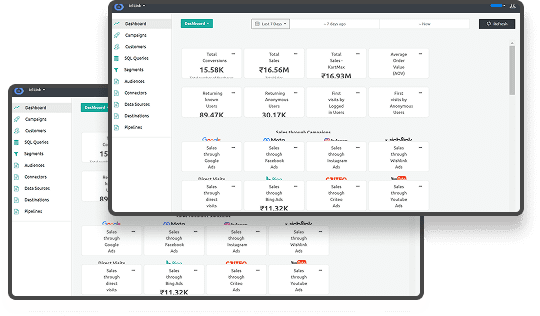





Do you know which half of your marketing budget is wasted? If your data is incomplete or inaccurate, you are likely making costly decisions in the dark. Inaccurate data from broken tracking leads to poorly targeted ads and significant budget waste.
You can solve this with a structured approach to e-commerce analytics. Modern analytics moves beyond simple page views to provide a complete, actionable view of the customer journey.
In this guide, you will learn how to build a high-performance ecommerce analytics strategy. We cover everything from core metrics to server-side tracking to help your business grow in a cookieless environment.
Key Takeaways
- Server-side tracking fixes data loss caused by browser restrictions like ITP and ad blockers.
- First-party identifiers allow you to track users across different devices without relying on third-party cookies.
- Moving from descriptive to predictive analytics helps you find which customers are likely to purchase again.
- Data silos between your marketing tools and store backend lead to inaccurate lifetime value reports.
- Accurate ecommerce analytics requires capturing signals at the server level to ensure 100% data integrity.
What is E-commerce Analytics?
It is the systematic collection and analysis of data points across the entire customer lifecycle from the first ad click to the final purchase. The goal is to convert raw numbers like clicks and views into actionable insights that increase revenue.
Modern ecommerce analytics has moved beyond simple page-view tracking. Platforms like Ingest ID now enable complex, multi-device journey mapping to ensure you never lose sight of a customer.
Understanding the definition is only the first step toward using data to improve your bottom line.
Also read: Setting Up Enhanced Ecommerce Tracking with Ingest IQ
Why E-commerce Analytics Matters for Your Business
Data allows you to see exactly how users interact with your brand and where you are losing potential sales. Without these insights, you are spending your marketing budget based on guesses rather than actual shopper behavior.
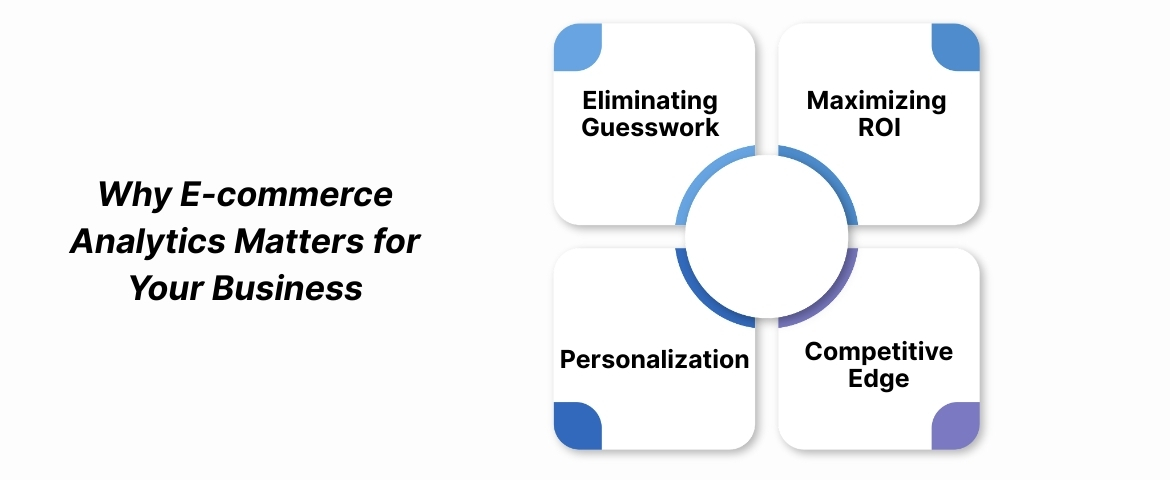
Modern tracking provides the following benefits to your store:
1. Eliminating Guesswork
Hard data helps you decide which products to stock and which marketing channels deserve more funding. You can stop relying on intuition and start making decisions based on how customers actually spend their money.
2. Maximizing ROI
Identifying high-performing campaigns allows you to cut spend on underperforming ads quickly. This ensures that every dollar you put into advertising contributes directly to your profit margins.
3. Personalization
Analyzing user behavior helps you offer the right product at the right time to each individual shopper. When you understand what a user wants, you can provide a shopping experience that leads to higher conversion rates.
4. Competitive Edge
Staying ahead in the market requires superior data privacy and accuracy. Using precise analytics ensures you stay compliant while still outperforming competitors who rely on broken browser-based tracking.
High-quality data collection is the engine that drives these business improvements every day.
Also read: Bounce Rate 101: Meaning, Benchmarks, and Fixes That Actually Work
How Does E-commerce Analytics Work?
The process involves moving data through several stages to turn a visitor's click into a clear report. Each step must function correctly to ensure the final insights you see in your dashboard are accurate.
The workflow typically follows these stages:
Step 1: Data Collection
This is the process of capturing user signals like clicks, scrolls, and purchases through tags and pixels. Most stores start with browser-based tracking, but many are now moving to more reliable methods.
Stage 2: Data Processing
Processing involves cleaning the raw data to ensure it is readable for your team. This stage also removes bot traffic and duplicate entries, so your sales numbers stay clean and reliable.
Stage 3: Data Integration
You must connect your web data with third-party sources like your CRM or email marketing platforms. This provides a unified view of the customer across every touchpoint they have with your brand.
Stage 4: Reporting and Visualization
Dashboards present your data in a visual format so your team can spot important trends instantly. Good visualization helps you react to changes in customer behavior before they impact your monthly revenue.
Step 5: The Server-Side Shift
Modern collection sends data from your server rather than the user's browser to avoid data loss. This method bypasses ad blockers and privacy settings that often stop traditional tracking scripts from working.
Choosing the right type of analysis is just as important as how you collect the information.
Also read: Shopify GA4 Tracking Setup and Integration Guide
Types of E-commerce Analytics
Not all data analysis serves the same purpose for your growth strategy. You need to use different types of analytics depending on whether you are looking at the past or planning for the future.
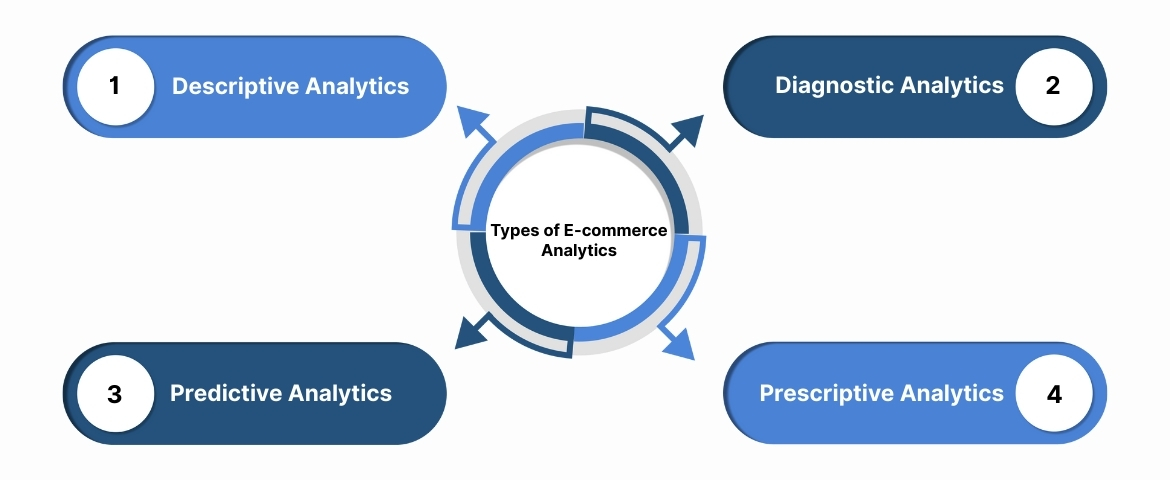
You should use these four categories to evaluate your store:
1. Descriptive Analytics
This involves examining past data to understand what happened over a specific period. You use this to answer basic questions like how many sales you made during a holiday weekend.
2. Diagnostic Analytics
This type of analysis digs deeper to find the reason behind a specific trend or change. For example, you might use it to find why cart abandonment increased after a recent site update.
3. Predictive Analytics
You can use historical patterns to forecast future outcomes for your business. This helps you identify which customers are likely to stop buying from you in the next month.
4. Prescriptive Analytics
This recommends specific actions you should take to achieve a particular business goal. It might suggest increasing your ad spend on a specific platform to hit your quarterly sales targets.
Once you know what type of analysis you need, you must track the right numbers.
Essential E-commerce Metrics and How to Measure Them
Tracking too many numbers can lead to confusion and slow decision-making. Focus on the core metrics that directly reflect the financial health and growth potential of your online store.
Start by measuring these four key areas:
1. Conversion Rate (CR)
Measure this by using the formula:
Total Transactions \ Total Sessions x 100
This metric tells you how effective your website is at turning visitors into paying customers.
2. Customer Acquisition Cost (CAC)
This calculates the total cost to win a single customer through your marketing efforts. You must keep this number lower than the profit you make from that customer to stay profitable.
3. Average Order Value (AOV)
AOV tracks the average amount of money a customer spends during a single transaction on your site. Increasing this through upselling or bundling is one of the fastest ways to grow your revenue.
4. Customer Lifetime Value (CLV)
This metric predicts the total revenue one customer will generate for your brand over their entire relationship with you. Knowing this helps you decide how much you can afford to spend on acquiring new users.
Applying these measurements correctly requires following industry standards for data management.
Also read: Understanding Shopify HIPAA Compliance for E-commerce
Best Practices for Modern E-commerce Analytics
Managing data effectively requires a proactive approach to accuracy and privacy. Following these standards ensures your insights remain reliable even as privacy laws in the US and Canada change.
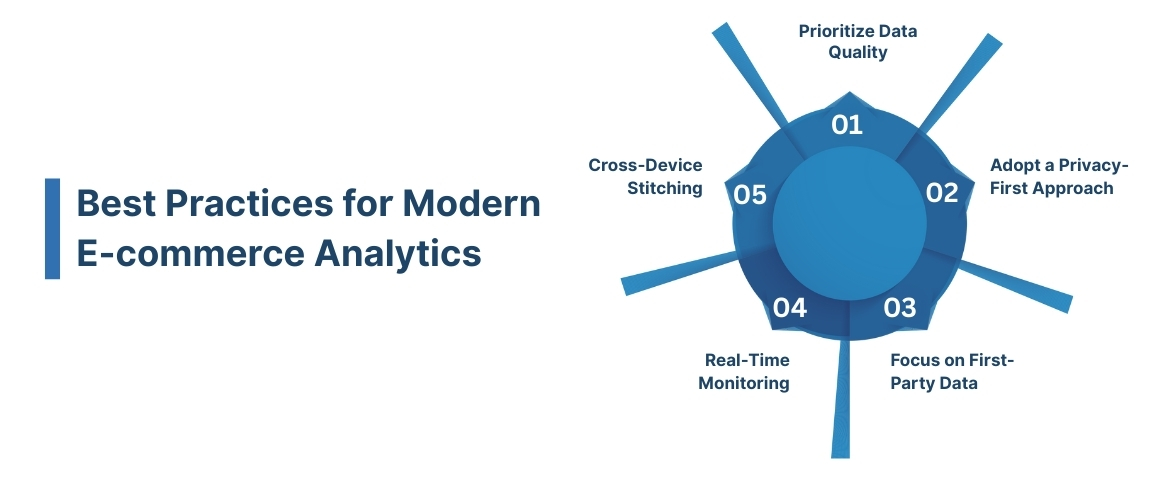
Implement these practices to maintain a high-quality data environment:
1. Prioritize Data Quality
Audit your tags regularly to ensure you are not double-counting conversions or missing key events.
How it helps:
- It prevents you from making expensive marketing decisions based on inflated or incorrect sales numbers.
- Perform monthly tag audits.
- Verify backend sales against dashboard data.
- Remove redundant tracking pixels.
2. Adopt a Privacy-First Approach
Ensure you follow CCPA and GDPR by using ethical data collection tools like Event IQ.
How it helps:
- It maintains customer trust and protects your business from heavy fines related to data privacy violations.
- Use clear consent banners.
- Store data in compliant regions.
- Anonymize sensitive user information.
3. Focus on First-Party Data
Use identifiers like Ingest ID to own your customer data rather than relying on third-party cookies.
How it helps:
- It ensures your tracking remains functional even after major browsers phase out third-party cookies entirely.
- Build your own identity graph.
- Connect offline and online data.
- Reduce reliance on external ad platforms.
4. Real-Time Monitoring
Use real-time streaming to catch technical glitches like a broken checkout page immediately.
How it helps:
- It allows you to fix site errors before they result in a significant loss of daily revenue.
- Set up automated alerts for traffic drops.
- Monitor checkout success rates hourly.
- Track API response times for payment gateways.
5. Cross-Device Stitching
Ensure a user who browses on a phone and buys on a desktop is counted as a single journey.
How it helps:
- It gives you a true understanding of your marketing attribution and customer behavior.
- Use persistent login identifiers.
- Map mobile app events to web profiles.
- Analyze the full multi-touch path to purchase.
One of the most significant improvements you can make is moving your tracking away from the browser.
Also read: What Data is Google Analytics Unable to Track
Building a first-party data strategy starts with a reliable identity solution. Learn how Ingest ID creates persistent, privacy-compliant customer profiles. Contact our team to know more.
The Move to Server-Side Tracking for Data Accuracy
Standard browser-based tracking is failing because of ad blockers and privacy updates like ITP. These technologies block your tracking scripts, which means you might be missing some of your conversion data.
1. The Problem with Browser-Based Tracking
Traditional client-side tracking is failing. It relies on code running in the user’s browser, which is increasingly blocked by ad blockers, browser privacy features (like ITP), and firewall extensions. This leads directly to the “broken attribution” problem, where significant conversion data is lost.
2. The Solution with Server-Side Infrastructure
Platforms like Ingest ID restore data integrity by moving the tracking logic to your own server. When a user takes an action on your site, that data is sent directly to your server, which then securely forwards it to your analytics and ad tools. This first-party connection is far more reliable and resistant to blocking.
3.Tangible Business Benefit
Making this shift recovers lost data. Businesses that implement server-side tracking routinely see an increase in visible conversion data, gaining a more complete picture of marketing performance and uncovering wasted ad spend.
Even with the right technology, you must watch out for common errors in your analysis.
Common E-commerce Analytics Mistakes to Avoid
Many businesses struggle with analytics because they focus on the wrong data or leave their systems disconnected. Avoiding these common traps will help you maintain a clearer picture of your store's performance.
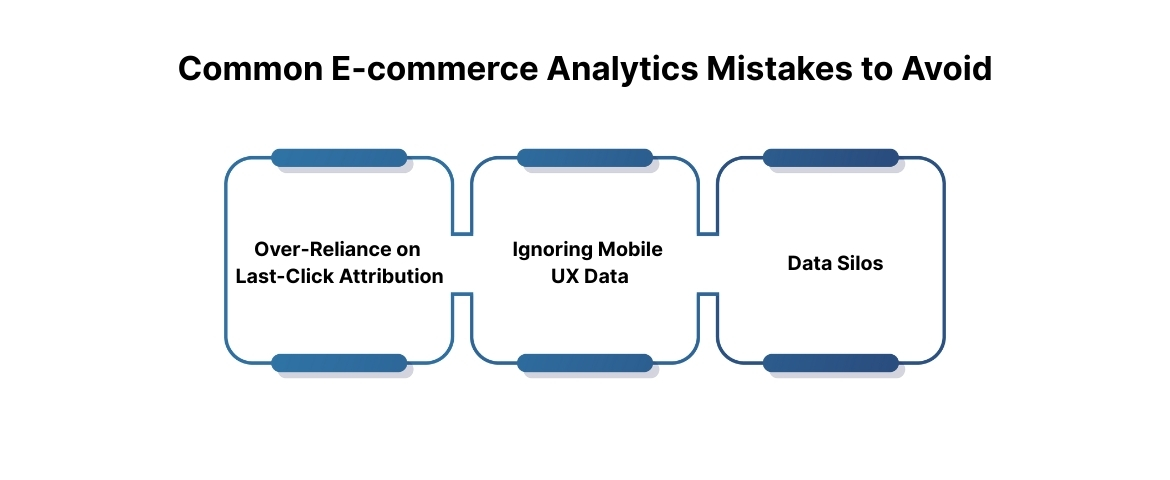
Watch out for these frequent issues:
1. Over-Reliance on Last-Click Attribution
Ignoring the multiple touchpoints that led to a sale gives too much credit to the final ad a user clicked. This often leads to cutting budgets for top-of-funnel campaigns that actually started the customer journey.
- Tip: Use a multi-touch attribution model to see how social media and search work together to drive sales.
2. Ignoring Mobile UX Data
Failing to see why mobile users convert at a lower rate than desktop users can cost you a large portion of your market. You must analyze mobile-specific behavior to find friction in the checkout process.
- Tip: Segment your conversion rate by device to identify if your mobile site is too slow or difficult to use.
3. Data Silos
Keeping your marketing data separate from your inventory or customer support data prevents you from seeing the full picture. You might be spending money to acquire customers who immediately return their items due to poor quality.
- Tip: Use a customer data platform to unify all your data sources into a single customer profile.
Building a productive system requires a structured approach to your data tasks.
Breaking down data silos is the first step to accurate CLV. Find out how Event IQ unifies your marketing and sales data into a single platform. Contact us to learn more.
How to Build a High-Performance Data Workflow
A strong data workflow ensures that your team always has access to the information they need to improve the store. You should follow a clear path from auditing your current state to optimizing your future results.
Follow these three phases to improve your data system:
1. The Audit Phase
Start by identifying gaps in your current tracking setup and comparing your analytics reports to your actual bank deposits. This phase helps you find where data is leaking and which tags are no longer working.
2. The Implementation Phase
Set up server-side tracking and first-party ID resolution to secure your data collection for the future. This ensures you are capturing 100% of your signals in a way that respects modern privacy laws.
3. The Optimization Phase
Use your new insights to run A/B tests and refine every part of the customer experience. This is where you turn your clean data into actual revenue growth by making targeted site improvements.
Scaling an online store requires more than just high traffic; it requires data you can trust.
Also read: 5 Modern Ways to Track Form Submissions Without Losing Data
Conclusion
Accurate e-commerce analytics is essential for success in today's market, but traditional tools often miss critical data due to ad blockers. This incomplete picture leads to poor decisions and wasted budget.
Ingest Labs provides the solution with a suite of tools designed for accuracy and compliance. Our platform ensures you have a complete view of customer behavior.
Ingest IQ restores data integrity through server-side tracking, capturing conversions that browser-based tools miss. Ingest ID creates a persistent, first-party customer identity to navigate the cookieless future and enable personalization.
Together, they feed unified data into Event IQ, our intelligence platform, for actionable insights and forecasting.
Ready to see how our tools can improve your data accuracy? Contact our team today to get started.
FAQs
Q. What are the most important ecommerce analytics metrics to track?
You should focus on Conversion Rate, Customer Acquisition Cost (CAC), Average Order Value (AOV), and Customer Lifetime Value (CLV). These metrics provide a clear view of your store's profitability and growth potential.
Q. How does server-side tracking improve ecommerce data?
Server-side tracking moves the data collection process from the user's browser to your server. This prevents ad blockers and browser privacy settings from stopping your tracking scripts, leading to much higher data accuracy.
Q. What is the difference between first-party and third-party data?
First-party data is information you collect directly from your own customers on your website. Third-party data is collected by an entity that does not have a direct relationship with the user, such as an advertising network using cookies.
Q. Why is my GA4 data different from my actual sales?
Discrepancies often occur because of ad blockers, users opting out of cookies, or technical issues with browser-based tags. Moving to a server-side setup like Ingest IQ can help align these numbers more closely.
Q. How can I reduce cart abandonment using analytics?
Use behavioral tracking to identify the exact step where users leave the checkout process. You can then use these insights to fix technical bugs or implement targeted recovery emails for high-intent shoppers.