



Your digital marketing campaigns pull customers from multiple channels every day. Yet many marketing teams cannot answer a basic question: How many first-time visitors actually reached your site this month? GA4 tracks this metric as "new users GA4," but the definition differs from what most marketers expect. Understanding new users in GA4 is essential because acquisition strategies, budget allocation, and growth forecasts depend on accurate counts.
This guide explains how GA4 identifies new users, calculates the metric, and why it shapes your business decisions. You'll learn the difference between new GA4 users and other user types, spot common counting issues, and align your tracking with privacy laws like GDPR and PIPEDA. By the end, you'll know exactly how to use new users' GA4 data to optimize acquisition spending and measure campaign success.
Key Takeaways
- GA4 identifies new users through a first-party cookie (default) or authenticated User ID, assigning each visitor a unique identifier on their first session.
- The ‘new users GA4’ metric counts visitors whose first interaction with your GA4 property occurred during the selected date range
- New users GA4 can drop 20–40% in browsers with strict privacy controls (Firefox, Safari), requiring server-side tracking alternatives.
- Cart abandonment campaigns must segment new GA4 users separately because they convert at lower rates and need different messaging than returning buyers.
- GDPR requires explicit opt-in consent before GA4 tags fire; CCPA requires consent before third-party cookies activate, but first-party collection is less restrictive.
What Are "Users" in Google Analytics 4?
The term "users" in GA4 reporting refers to active users, not total unique visitors. This distinction matters because GA4 reports three separate user metrics, and confusing them breaks your acquisition math.
GA4 counts three user types:
- Total Users: Everyone who visited your site or app during the date range, including those who bounced in under 10 seconds without engaging.
- Active Users: Visitors who triggered an engagement event (10+ seconds on page, 2+ pageviews, or 1+ conversion). GA4 dashboard reports focus on this metric.
- New Users: First-time visitors identified by the absence of a prior _ga cookie or User ID in your GA4 property.
The confusion arises because many marketers expect "Users" in GA4 to match "Users" from Universal Analytics, which counts total visitors per session. GA4's shift to event-based tracking changed this. A new user who lands on your site and bounces in 8 seconds registers as a "New User" but does not appear in "Active Users" reports.
This matters for e-commerce sites. A visitor who adds a product to their cart and abandons it counts as an active user (engagement occurred), but if they never return during your measurement window, they appear only once in the new users GA4 counts. When you calculate acquisition cost per paying customer, you need to isolate new GA4 users who completed a purchase, not all new visitors.
Ingest IQ helps standardize event collection and delivery server-side so that event quality and user signals feeding GA4 and other tools are more reliable, reducing discrepancies caused by client-side loss and fragmented tracking.
Now that you understand which user metrics GA4 tracks, let's define new users specifically and explore how GA4 identifies them.
What Are “New Users” in Google Analytics 4?
New users GA4 are first-time visitors to your website or app. GA4 tags each new user GA4 with a unique identifier (client ID or User ID) on their first interaction with your property. Once identified, GA4 records this identifier in a first-party cookie stored in the visitor's browser (for web) or in app storage (for mobile).
In GA4, new users GA4 are counted using the first_visit event on web properties and the first_open event on mobile apps. These events fire automatically when GA4 detects a visitor without a pre-existing identifier in your GA4 property. You do not need to set up separate logic; GA4 handles this automatically.
The critical point: new users' GA4 status depends on your GA4 property's first-party cookie, not on whether the visitor is new to your business. If a returning customer clears their browser cookies, GA4 reassigns them a new client ID and counts them again as new users GA4 on their next visit. Similarly, if the same person visits from a different device, they receive a different client ID and appear as a new user in GA4 on that device.
Why This Matters for Your Business:
- Acquisition campaigns are measured against new users in GA4 as the denominator. If cookie deletion drops new users' GA4 counts by 30%, your cost-per-acquisition (CPA) appears artificially high.
- Cohort analysis (grouping new users GA4 by acquisition date) requires accurate first-time identification. Misidentified returning users distort retention metrics.
- Cart abandonment recovery targets repeat visitors, not new users, in GA4. Mixing these segments sends the wrong messaging and wastes ad spend.
For agencies managing multiple clients, new users' GA4 accuracy is mission-critical because incorrect counts cascade into wrong budget decisions across all campaigns.
Knowing who GA4 labels as new only tells part of the story; the real insight comes from understanding how those labels are assigned behind the scenes.
How Are Google Analytics 4 New Users Calculated?
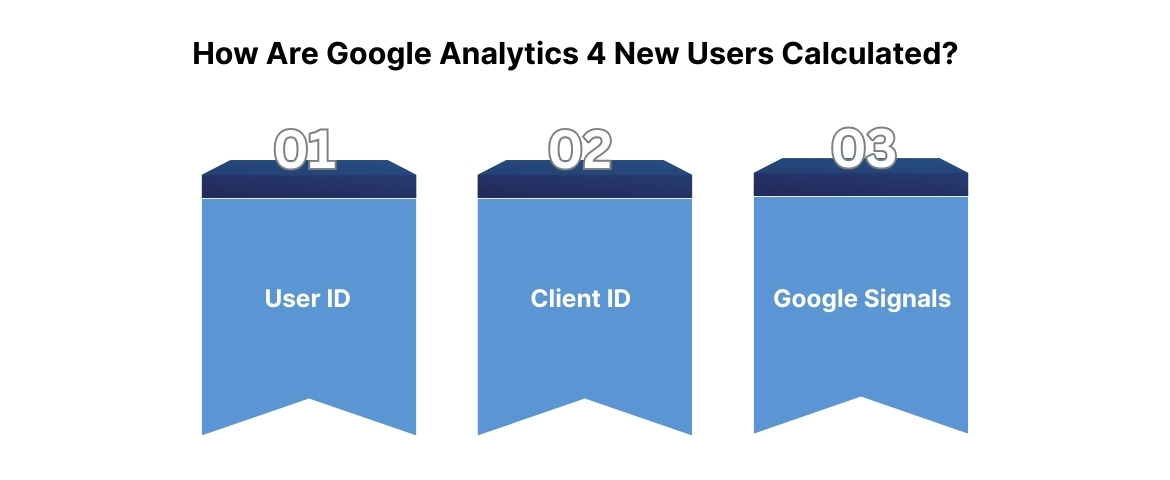
GA4 calculates new users GA4 using three identity options, prioritized in this order:
Method 1: User ID (Recommended for Authenticated Users)
When a visitor logs into your site or app, you can send their authenticated identifier (email, customer ID, or account number) to GA4 via the User ID feature. This is the most reliable method because it persists across devices and browsers. When the same user logs in from their phone and desktop, GA4 recognizes both sessions belong to one person and counts them once in new users GA4 metrics.
To implement User ID, you pass the identifier when the user authenticates. Google recommends hashing email addresses or using non-identifiable account numbers (never send raw PII to GA4, as this violates Google's policies and data protection laws).
Method 2: Client ID (Default, Cookie-Based)
GA4 automatically assigns each unauthenticated visitor a unique client ID, stored in the _ga cookie. This cookie persists for 2 years by default. When a visitor returns, their browser sends the same client ID, and GA4 recognizes them as a returning user, not new users GA4.
The problem: browser privacy controls prevent cookies from persisting reliably. Safari limits first-party cookies to 7 days of inactivity. Visitors who don't return within that window and whose cookies expire will be recounted as new users GA4 on their next visit, even though they visited before.
Method 3: Google Signals (Blended Reporting Identity)
If you enable Google Signals in GA4, the platform can recognize returning users who are signed into Google services (Gmail, YouTube, Google Search). This allows cross-device and cross-browser identification without your own User ID implementation.
However, Google Signals only works for users who have enabled ad personalization in their Google Account settings, roughly 20–30% of traffic in most regions. It does not solve the new users GA4 undercounting problem entirely.
To reduce re-counting caused by browser privacy limits, Ingest IQ’s server-side tracking preserves first-touch attribution even when client-side cookies expire.
The Calculation in Practice
GA4 generates a report of "New Users" by counting unique client IDs or User IDs with a first_visit (or first_open) event during your selected date range. If your date range is January 1–31, GA4 counts only identifiers whose first recorded interaction occurred within those 31 days.
This means:
- A user who visited on December 31 and returns on January 2 is not counted in January's new users GA4 because their first visit was in December.
- A user whose cookie expires on January 20 and returns on January 25 is counted again in January's new users GA4 because GA4 sees a new client ID with no prior history.
For e-commerce sites, this cookie expiration issue inflates new users' GA4 counts relative to actual new customers. Your acquisition reports may show 1,000 new users in GA4, but only 800 of them are truly first-time visitors to your business.
With new users, GA4 calculation methods clear, we'll now examine why accurate tracking of new users GA4 impacts your growth strategy and budget.
Why Tracking New Users Matters
Acquisition is the foundation of growth. If you cannot measure new users GA4 accurately, you cannot optimize acquisition spending, evaluate campaign performance, or forecast revenue correctly.
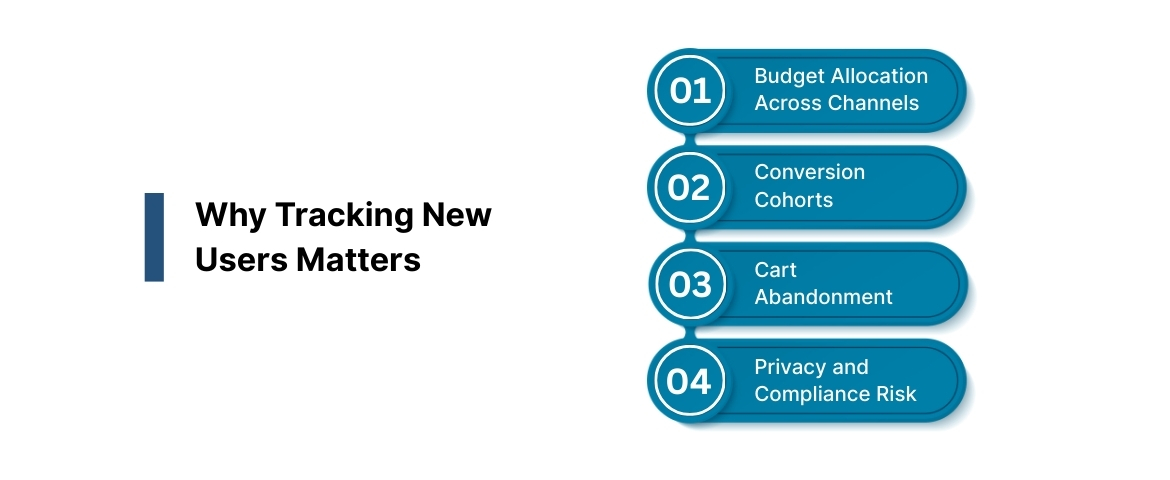
Decision 1: Budget Allocation Across Channels
You run paid search, social, and email campaigns. Reporting shows new users GA4 across each channel:
- Paid Search: 400 new users GA4 at $15 cost per user = $6,000 spend
- Social Ads: 600 new users GA4 at $8 cost per user = $4,800 spend
- Email (organic): 150 new users GA4 at $0 cost = $0 spend
If new users' GA4 counts are undercounted by 20% due to cookie loss, the true cost per new user GA4 is actually $18 for Paid Search, not $15. You'd reallocate the budget toward Social, but this decision is based on incomplete data.
For agencies, undercounting new users in GA4 means you're billing clients based on inflated traffic metrics. If the client's new users GA4 count drops 25% next month due to browser privacy changes (not campaign failure), you'll face uncomfortable conversations about performance.
Decision 2: Conversion Cohorts and Lifetime Value
Cohort analysis groups new users GA4 by acquisition date and tracks their behavior over time. A cohort of 500 new users GA4 acquired in Week 1 is tracked through Week 52 to measure retention, repeat purchase rate, and revenue per user.
If cookie loss recounts some Week 1 returners as "new" in Week 2, your Week 2 cohort appears larger and lower-quality than it actually is. This distorts lifetime value (LTV) projections and acquisition payback calculations.
Decision 3: Cart Abandonment and Win-Back Campaigns
E-commerce teams use new users in GA4 to segment audiences. A first-time visitor who adds a product to their cart but doesn't buy is a high-priority recovery target. The messaging differs from a 5-time returner who abandons: You teach new users GA4 about your brand; you offer loyalty discounts to repeat customers.
Without accurate new user GA4 identification, your cart abandonment campaigns send generic messages to mixed audiences. New users GA4 see discount codes they don't value; returning customers feel neglected. Conversion rates remain flat.
Decision 4: Privacy and Compliance Risk
If you're collecting new users' GA4 data in Canada or Europe, you must comply with privacy laws. GDPR requires explicit opt-in consent before GA4 fires. CCPA and PIPEDA have different requirements, but all three place responsibility on your marketing team to document consent and honor user rights.
Inaccurate new users GA4 tracking often stems from broken consent flows. If your consent banner doesn't load, GA4 fires anyway, and you're collecting data without permission. Audits uncover this, and regulators issue fines. EU fines range from $20 million to 4% of global revenue, whichever is higher. CCPA fines start at $2,500 per violation. PIPEDA carries up to $10 million CAD in penalties under the proposed Bill C-27.
Accurate new users GA4 tracking requires a clear consent audit: Do you have explicit permission before GA4 tags fire? Are you honoring user withdrawal requests? Are you storing consent records? If not, your new users' GA4 reports are not just inaccurate, they're a compliance liability.
When acquisition metrics drive budget decisions, Event IQ unifies GA4, ad platforms, and CRM data so new user cohorts reflect real customer behavior, not fragmented signals.
To apply these insights correctly, you also need to separate acquisition metrics from engagement metrics, which GA4 often blends together.
Active Users Versus New Users in Google Analytics 4
Most marketers confuse active users with new users GA4 because both appear in GA4 reports. Understanding the difference is essential for accurate reporting.
| Metric | Definition | Business Use |
| Active Users | Visitors who triggered engagement: 10+ seconds on page, 2+ pageviews, or 1+ conversion during the date range | Represents engaged audience; used for engagement rate calculations and retention analysis |
| New Users GA4 | Visitors with no prior identifier (cookie or User ID) in the GA4 property, identified by first_visit or first_open event | Measures acquisition volume; used for CAC, cohort analysis, and channel attribution |
Why the Overlap Matters
A visitor can be both new and active: A first-time visitor who spends 15 seconds on your site and views two pages counts as both a new user, GA4, and an active user.
However, a first-time visitor who bounces in 5 seconds counts only as a new user in GA4, not as an active user. This is the crux: New users GA4 include bounced traffic; active users do not.
For your reports:
- If you see 1,000 new users in GA4 but only 700 active users, 300 visitors bounced. Your site's engagement rate is 70%, which is problematic for most industries.
- If new users GA4 equals active users nearly exactly, it suggests that almost everyone who lands on your site engages. This is rare and often indicates tracking errors.
Reporting Gotcha
GA4's "Users" metric in standard reports actually displays active users, not total new users GA4. This confuses teams because:
- You check "Users" in Acquisition reports and see 500. You assume 500 new visitors. Actually, GA4 reports 500 active new users GA4, meaning 520 total new visitors arrived, but 20 bounced.
- You calculate CAC as $10,000 spend ÷ 500 users = $20 CAC. The true CAC is $10,000 ÷ 520 = $19.23, but you overestimate by 3.8%.
To see total new users GA4 (including bounced visitors), you must create a custom report or use the Acquisition report's "Users" dimension with a filter for user_type = "new".
Impact on E-Commerce
E-commerce sites benefit most from separating new users from GA4 and active users. Here's why:
- A new user GA4 who views a product but bounces should not receive the same nurture sequence as one who adds to the cart.
- Your cart abandonment segment should filter for active new users GA4 (those who added items), not all new users GA4 (which includes bounced visitors who never saw your catalog).
- Return on ad spend (ROAS) should be calculated only against new users GA4 who completed a conversion event, not all new users GA4.
Without this segmentation, your email and retargeting campaigns target the wrong audiences, and conversion rates stagnate.
Conclusion
GA4 acquisition reporting breaks when user identification fails. You cannot trust new users' GA4 metrics if cookies expire, consent blocks fire inconsistently, or browsers reset identity without warning. When that happens, CAC rises on paper, cohorts blur, and budget decisions rely on partial signals instead of real behavior. Ingest Labs fixes the foundation behind GA4.
What Ingest Labs delivers:
- Ingest IQ captures events server-side to reduce signal loss and increase data completeness for analytics platforms such as GA4.
- Ingest ID helps resolve and maintain first-party identity where consented signals are available, reducing cases where returning customers are recounted as new across systems.
- Event IQ unifies and validates event data across touchpoints, supporting downstream analytics and cohort analysis by feeding consistent, high-quality signals into measurement and revenue systems.
- Privacy-first measurement enforces consent signals and governance in data flows, helping ensure event collection respects user permissions under privacy laws such as GDPR, CCPA, and PIPEDA.
- Real-time validation and monitoring detect tracking gaps early so broken event flows can be fixed before they distort acquisition and retention reporting.
If your GA4 new user reporting feels unreliable because browser privacy keeps changing the rules, contact us to see how Ingest Labs restores accuracy, attribution, and trust in your acquisition data.
Frequently Asked Questions
1. Why is my new users GA4 count dropping month-over-month, even though website traffic is flat?
Browser privacy features shorten cookie lifespans, causing returning visitors to appear as new users inconsistently. Client-side GA4 tags also miss events when ad blockers block first_visit tracking.
2. How can we segment new users in GA4 for cart abandonment campaigns without sending repeat customers the wrong message?
Create audiences for new users GA4 who added to cart but did not purchase within a fixed time window. Build separate audiences for returning users to tailor messaging and avoid irrelevant first-time offers.
3. How does GDPR affect our ability to track new users in GA4 in Europe?
GDPR requires user consent before analytics cookies store or process identifiable information. Consent Mode allows limited measurement until consent is granted, preserving compliance while maintaining partial visibility.
4. Can new users in GA4 include returning customers if they clear their cookies or switch devices?
Yes, cookie deletion or device switching forces GA4 to assign a new client ID. Without identity stitching, the same customer may be counted multiple times as a new user.
5. What's the best way to calculate customer acquisition cost (CAC) from new users' GA4 data?
Only include new users GA4 who completed a purchase, not all first-time visitors. Combine conversion events with channel spend data to avoid inflated or misleading CAC figures.
6. Why does GA4 show different new user counts across reports and tools?
GA4 applies different attribution rules and sampling methods across standard and exploration reports. Timing differences in event processing can also cause short-term reporting mismatches.