




Cookie compliance remains one of the most misunderstood areas of GDPR. While many websites display cookie banners, far fewer meet the actual consent requirements set by regulators. According to the European survey, 80% of EU internet users say they are concerned about how companies track them online, particularly through cookies and similar technologies.
This growing scrutiny has made GDPR cookie compliance a business-critical requirement rather than a design or UX choice. Businesses that rely on analytics, advertising, or personalization must understand how GDPR regulates cookies and how consent must be implemented in practice.
This article explains GDPR cookie requirements, consent rules, cookie categories, and how to implement compliance without breaking measurement.
Key Takeaways
- GDPR requires explicit, opt-in consent for most non-essential cookies, including analytics, advertising, and personalisation.
- Consent must be freely given, granular, informed, and recorded, with non-essential cookies blocked by default until the user opts in.
- GDPR and the EU Cookie Directive work together: the Cookie Directive governs the storage of cookies on devices, while GDPR regulates the processing of personal data from cookies.
- Third-party cookies face a higher compliance risk, as they often involve cross-site data sharing and stricter transparency obligations.
- Proper implementation matters as much as policy, consent must be technically enforced through tools such as Google Consent Mode or consent-aware GTM configuration.
- Privacy-first tracking reduces long-term risk, especially as browser restrictions and regulatory scrutiny increase.
- Server-side, consent-aware data collection helps maintain accuracy, ensuring only approved events and identifiers are processed after consent is granted.
Understanding What Cookie Consent Means Under GDPR
Cookie consent refers to a user's explicit permission to store or access cookies that are not strictly necessary for a website to function. Under GDPR, this applies primarily to cookies used for analytics, advertising, personalization, or cross-site tracking.
Rather than being a formality, cookie consent is a legal requirement that determines whether the processing of data collected via cookies is lawful.
Freely given: Users must have a genuine choice. Access to a website cannot depend on accepting non-essential cookies.
Informed and specific: Users must be told what data is collected, why it is collected, and whether third parties are involved.
Unambiguous: Consent must be given through a clear affirmative action. Pre-selected options, scrolling, or inactivity do not count as consent.
If any of these conditions are missing, cookie consent does not meet GDPR standards.
How Cookies Function and Why They Matter Under GDPR
Cookies are small text files stored on a user's device that allow websites to store or retrieve information about that user or their device. They support core functions such as session management, preference storage, and performance measurement, allowing sites to operate smoothly and consistently across visits.
From a compliance perspective, cookies fall into two broad origins and several functional categories, each with different regulatory implications.
First-Party and Third-Party Cookies
First-party cookies are set directly by the website a user visits. They support essential functionality such as remembering login states, saving language or currency preferences, and retaining shopping cart activity when users navigate away from a page. For e-commerce and authenticated platforms, these cookies help maintain continuity without relying on external tracking.
Third-party cookies, by contrast, are placed by external platforms embedded on the site. Tools such as Google Analytics, Microsoft Clarity, advertising pixels, and social platforms may place or rely on cookies and similar identifiers to track user activity across domains. This cross-site capability is the primary reason third-party cookies are heavily regulated under GDPR and related privacy laws.
While cookies can improve user experience and reduce friction, third-party tracking has raised persistent concerns around transparency, consent, and user control. These concerns underpin both the GDPR and the EU Cookie Directive.
Learn more about: What Is a Data Platform? A Marketer's Guide to Smarter, Privacy-First Data
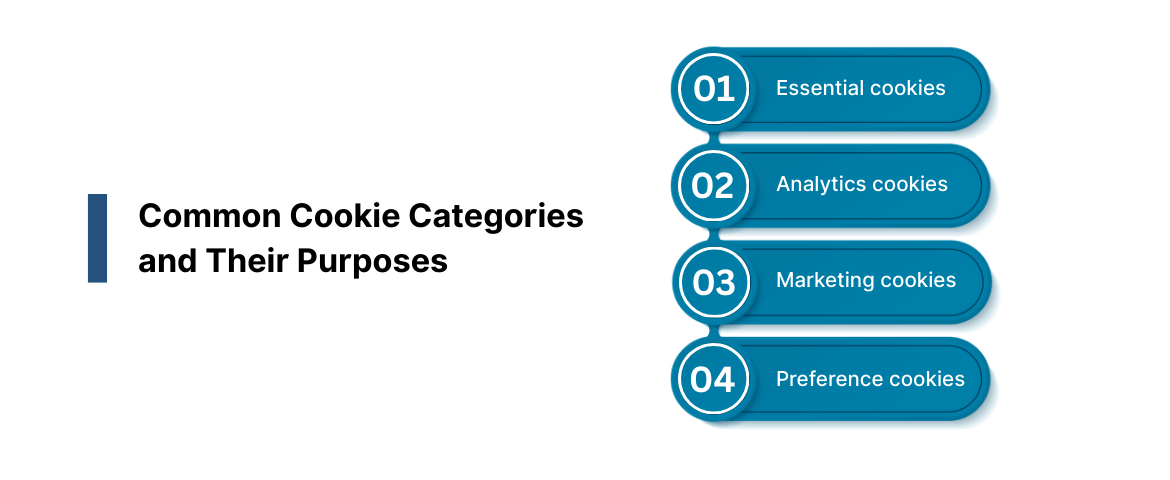
Common Cookie Categories and Their Purposes
Under GDPR, cookies are assessed not only by who sets them but also by what they do. Most implementations fall into four commonly recognized categories.
1. Essential cookies
These cookies are required for basic site operation. They support authentication, security, and session continuity, enabling actions such as logging in, adding items to a cart, or navigating secure areas.
Because they are strictly necessary and do not perform tracking for marketing or analytics, they are generally exempt from consent requirements.
2. Analytics cookies
Analytics cookies collect information about how users interact with a website, including page views, session duration, and navigation paths. Platforms like Google Analytics use these cookies to help businesses understand site performance and user behavior.
Even though they may not store direct identifiers such as names or email addresses, analytics cookies can still process personal data under GDPR and therefore require explicit user consent.
3. Marketing cookies
Marketing cookies track users across websites to support targeted advertising and audience profiling. Advertising platforms rely on these cookies to personalize ads based on browsing history and inferred interests.
Because they enable cross-site tracking, they are subject to strict opt-in consent requirements under GDPR.
4. Preference cookies
Preference cookies store user-selected settings such as language, region, or interface choices. While they improve usability, they are not considered strictly necessary in most cases and may require consent depending on whether they are strictly necessary for a user-requested service.
Understanding these distinctions is critical for implementing GDPR-compliant cookie banners, correctly defining consent logic, and avoiding unlawful data collection.
Core Cookie Consent Requirements Businesses Must Meet
Websites subject to GDPR, the ePrivacy Directive, or similar privacy laws must follow clear rules around how cookies are deployed and how consent is collected. Regulations such as the GDPR, the EU ePrivacy Directive, and California's CCPA/CPRA set specific expectations to ensure transparency, user choice, and accountability.
While the scope of each law differs, they share a common goal: preventing cookies from being placed without proper user awareness and control.
GDPR and the ePrivacy Directive
Under the GDPR and the ePrivacy Directive, websites must obtain explicit and informed consent before setting any non-essential cookies.
Key requirements include:
- Users must be clearly informed about what cookies are used and why
- Consent must be opt-in, with no pre-selected checkboxes
- Users must be able to withdraw consent as easily as they give it
- Consent decisions should be recorded and stored for accountability
These rules apply to analytics, advertising, and tracking cookies that are not strictly necessary for site functionality.
California Consumer Privacy Act (CCPA/CPRA)
For businesses subject to California privacy law, consent requirements place greater emphasis on transparency and control over data sharing.
Key obligations include
- Informing users about data collection and usage practices
- Providing an opt-out mechanism for third-party tracking or data sharing
- Displaying a clear "Do Not Sell or Share My Personal Information" link for California residents
Unlike GDPR, CCPA and CPRA do not generally require prior opt-in for cookies, but they do require clear disclosure and meaningful opt-out mechanisms for data selling or sharing.
Cookie Consent for GA4 and Microsoft Clarity
Analytics and behavior-tracking tools also have consent obligations in regulated regions.
To comply with GDPR and related laws:
- Tracking scripts that set or access non-essential cookies should remain blocked until consent is granted.
- Consent mode must adjust data collection based on user preferences
- Session recordings and behavioral data must respect local consent rules
Failing to enforce these controls can result in unauthorized data collection, even when consent banners are present.
Meeting cookie consent requirements is less about banners and more about enforcing consent across every tracking layer. Clear implementation ensures compliance while preserving trust and data integrity.
How to Implement GDPR Cookie Consent Correctly
Implementing GDPR-compliant cookie consent requires blocking non-essential cookies by default and activating them only after explicit user permission. This can be done using a Google-certified Consent Management Platform (CMP) for Google services or through a fully manual setup in Google Tag Manager (GTM).
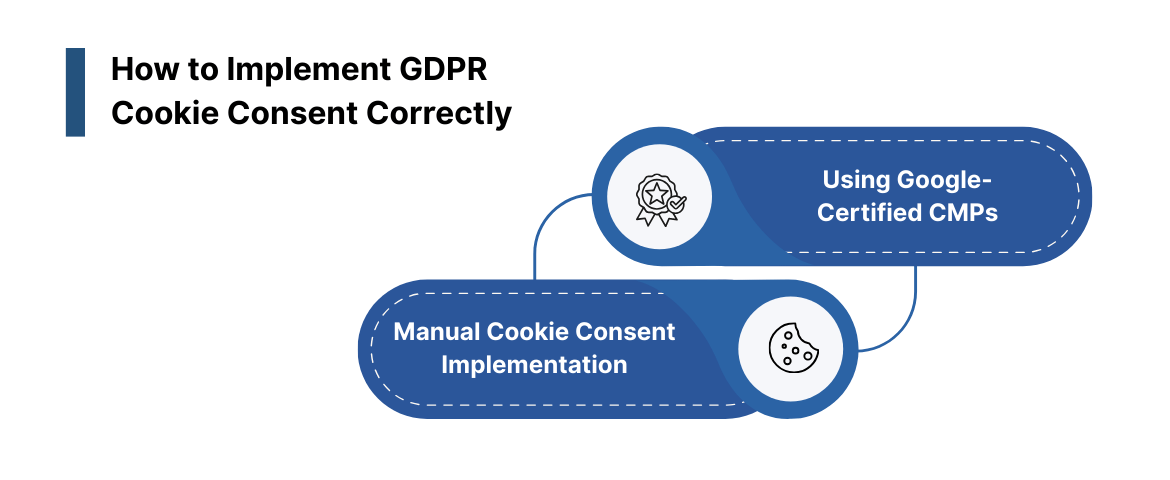
Below are the two most common implementation approaches.
Method 1: Using Google-Certified Consent Management Platforms (CMPs)
Google-certified CMPs simplify compliance by integrating directly with Google Tag Manager and Google Consent Mode. This approach reduces manual configuration and helps enforce consent consistently.
Step 1: Choose a Certified CMP
Google maintains a list of approved CMPs, including platforms such as Cookiebot, CookieYes, and ABConsent. These tools provide prebuilt consent banners and guided setup aligned with GDPR requirements.
Step 2: Integrate the CMP with Google Tag Manager
- Log in to Google Tag Manager
- Create a new tag and select Tag Configuration
- Open the Community Template Gallery
- Search for your chosen CMP and add it to the workspace
- Configure default consent states to deny non-essential cookies
Example: Default consent state (before user choice)
Use the following script to define default consent settings:
<script>
window.dataLayer = window.dataLayer || [];
function gtag(){dataLayer.push(arguments);}
gtag('consent', 'default', {
'ad_storage': 'denied',
'analytics_storage': 'denied',
'personalization_storage': 'denied',
'ad_user_data': 'denied',
'ad_personalization': 'denied'
});
</script>
This ensures analytics, advertising, and personalization cookies remain inactive until consent is granted.
Step 3: Sync the CMP with Google Consent Mode
Example: Consent update after user opt-in
Once the user provides consent, update the consent state dynamically using Google Consent Mode:
gtag('consent', 'update', {
'ad_storage': 'granted',
'analytics_storage': 'granted'
});
Step 4: Test Using Google Tag Assistant
Use Google Tag Assistant to confirm that tags only fire after consent is granted and remain blocked when consent is denied.
Also read: Google Cookie Deprecation: What Marketers Need To Know In 2026
Method 2: Manual Cookie Consent Implementation
Manual implementation is suitable for organizations that require custom consent logic or operate under complex regulatory conditions. While more flexible, it requires careful configuration and ongoing review.
Step 1: Enable Consent Mode in GTM
- Navigate to Google Tag Manager → Admin → Container Settings
- Enable Consent Overview
- Configure default consent settings
Step 2: Define Default Consent States
Use a Consent Initialization trigger and add a Custom HTML tag with the following script:
<script>
window.dataLayer = window.dataLayer || [];
function gtag() {
dataLayer.push(arguments);
}
gtag("consent", "default", {
ad_storage: "denied",
analytics_storage: "denied",
ad_user_data: "denied",
ad_personalization: "denied",
personalization_storage: "denied"
});
</script>
This prevents non-essential tags from firing before consent is captured.
Step 3: Capture and Store User Consent Choices
To avoid repeated prompts, store user consent preferences in a cookie for a defined period (commonly between 30 and 180 days, depending on regulatory guidance and risk tolerance). On return visits, automatically apply the stored preferences.
Step 4: Apply Granular Consent Logic
- Essential cookies remain enabled by default
- "Accept all" enables analytics, advertising, and personalization
- Preference-based selection enables only the chosen categories
- Marketing-only selection enables ad-related tracking only
Step 5: Configure Tags to Respect Consent
For each tag in GTM:
- Open Advanced Settings
- Specify which consent types must be granted before the tag can fire
This ensures every tag respects user choices and GDPR requirements.
Both methods require regular review to remain compliant as browser behavior, regulations, and tracking architectures change. In privacy-focused environments, enforcing consent signals beyond the browser can help reduce accidental violations.
Platforms like Ingest Labs support consent-aware, server-side data collection that respects consent signals rather than bypassing them.
Conclusion
GDPR cookie compliance goes beyond meeting banner requirements. It depends on how consent is captured, stored, and enforced across analytics, advertising, and personalization tools. When cookies are activated without valid consent, businesses risk regulatory action, data integrity issues, and loss of user trust.
A compliant approach starts with clear consent logic and continues with technical enforcement across every layer of data collection. Platforms like Ingest Labs support consent-aware, server-side data collection, ensuring that only approved events and identifiers are processed. This helps reduce compliance risk while maintaining analytics accuracy.
If the enforcement of cookie consent or the reliability of tracking is still unclear, it may be time to reassess how your data flows are governed.
Contact Ingest Labs to build a GDPR-aligned analytics foundation designed for long-term compliance.
FAQs
1. What are GDPR cookies?
“GDPR cookies” is an informal term referring to cookies that process personal data and are therefore subject to GDPR requirements.
2. Do all cookies require consent under GDPR?
No. Only non-essential cookies require consent. Essential cookies needed for security or core functionality can be set without prior approval.
3. What are GDPR cookie banner requirements?
A compliant banner must clearly explain cookie usage, allow granular choices, avoid pre-selected options, and block non-essential cookies until consent is given.
4. How does GDPR affect third-party cookies?
GDPR places stricter requirements on third-party cookies because they often involve data sharing across domains, increasing transparency and consent obligations.
5. Is the EU Cookie Directive still relevant?
Yes. The EU Cookie Directive works alongside GDPR. While GDPR governs the processing of personal data, the Cookie Directive focuses on the storage and access of information on user devices.